Church Management
Church By Faith vs. Separate Church Tools: A Workflow Comparison
By Church By Faith Team · · 5 min read
Feature lists don't tell you how Sunday actually runs. Here is a fair, workflow-by-workflow comparison of Church By Faith and a set of separate tools, trade-offs included.
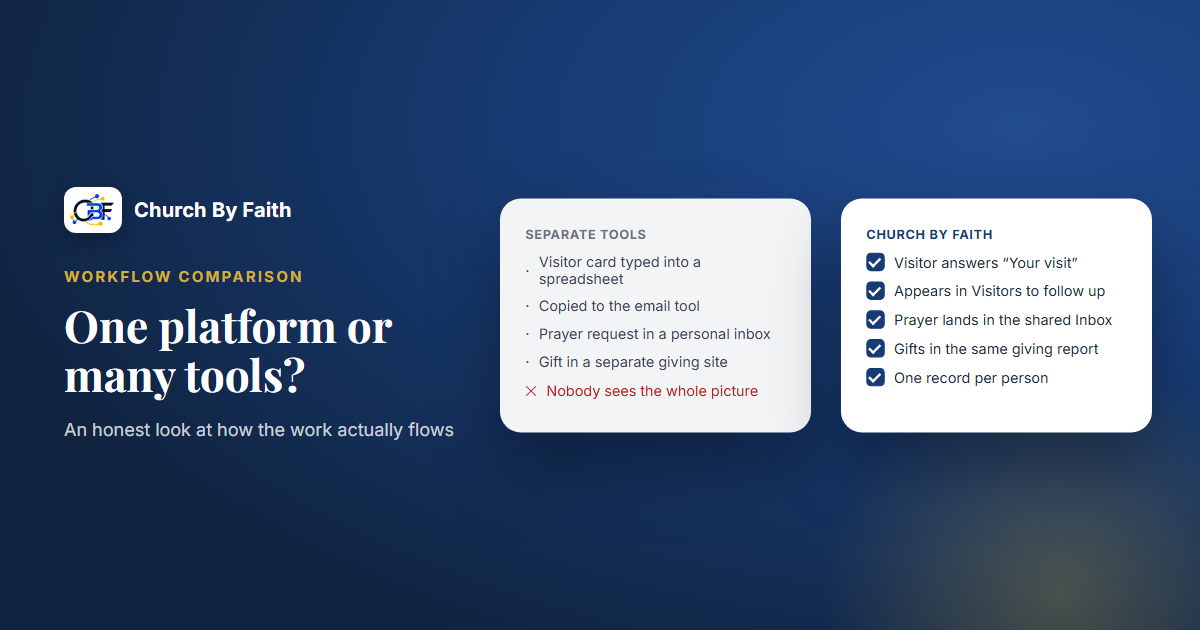
Most software comparisons are feature checklists. But a pastor doesn't live in a checklist. They live in workflows: a visitor who needs a call, a prayer request that needs a pastor, a Sunday that needs to stream and receive an offering. This article compares one platform, Church By Faith, with a collection of separate tools, one workflow at a time, and it is honest about where separate tools still do the job better.
How to compare fairly
Before looking at any workflow, agree on what "better" means for your church. Three questions work well:
- How many handoffs? Each time information moves from one tool to another, someone has to move it, and something can be dropped.
- Where does the information live? If a newcomer's details are in four places, which one is right?
- Who can see what? More tools usually means more logins, more shared passwords and more copies of sensitive data.
Also be fair to separate tools. A tool built for one job is often deeper at that job. The question is whether that depth is worth the extra handoffs for your church.
Workflow 1: A newcomer's first month
With separate tools, a typical path looks like this: a web form collects the visitor's details, someone copies them into a spreadsheet, a welcome email goes out from an email service, and a volunteer texts from a standalone texting app or a personal phone. A month later, nobody is sure who called whom.
With Church By Faith, the visitor answers the Your visit questions on their profile, including whether they'd like a church leader to contact them. Staff with pastoral permission see them on the Visitors to follow up list. A welcome email can go out through an automation, and the conversation is assigned, noted and answered in one Inbox, with consent checked before any email or text is sent.
The trade-off: Church By Faith has no connect cards, kiosk sign-in or QR check-in, and its automations are intentionally simple: three triggers and four actions, with no text-message steps and no visual workflow builder. If your church relies on a detailed multi-week, multi-channel assimilation pathway, a dedicated tool may offer more control.
Workflow 2: A prayer request that needs a pastor
With separate tools, prayer requests often travel through a group chat, a shared email inbox or a paper card passed to the office. That is fast, but privacy is hard to control: a sensitive request can reach far more people than the person intended.
With Church By Faith, the member chooses who sees each request: Everyone at church, Leaders only or Private, plus Share without my name. The database enforces the anonymity, so not even leaders see who asked. Private requests go to the pastoral team, and care requests gather in a care queue so the team is notified. Members on the Growth plan and up also get a private prayer journal only they can read.
The trade-off: Church By Faith is not a counseling case-management system, and it does not claim HIPAA compliance. If your church runs a formal counseling center, that center may still need its own specialized records system.
Workflow 3: Sunday streaming and the offering
With separate tools, Sunday might involve a streaming service, a video host, a giving app and a place to post the sermon afterward. Each has its own login, its own settings and its own bill. The strength here is choice: you can pick a specialist for each job.
With Church By Faith, Live Studio (switched on by default on Premium and Network; churches on other plans can ask us) can stream to YouTube, connected by signing in with Google or with a stream key, and to Facebook with a stream key, and it accepts a feed from vMix or another encoder. Sermons and videos live in an ad-free library. Giving records come with every plan: members record the gifts they send by Zelle, check, cash or transfer, and your treasurer confirms each one. Everything sits in the same place your members already sign in to, in their chosen language. You can check which plan includes what on the pricing page.
The trade-off: at the time of writing, online card and PayPal giving (through hosted checkout, so card data never touches the app) runs only for our founding ministry and is not yet available to other churches, because per-church payment accounts are not built yet. There is no text-to-give, bank-debit giving or giving kiosk. If those are central to your church's giving, a dedicated giving tool may serve you better for now.
Where separate tools still win
A fair comparison has to say this plainly. Church By Faith does not cover these jobs today, and specialized tools do them well:
- Children's check-in and name tags. If you have a busy kids' ministry, keep a dedicated check-in tool.
- Volunteer scheduling. Church By Faith has ministry-team labels, but no rotas, scheduling or reminders for serving teams.
- Worship planning. Service orders, setlists and rehearsal planning belong in a worship planning tool.
- Bulk texting. Texting in Church By Faith is one-to-one replies from the inbox. For text blasts, you'd need a separate service.
- Accounting. There is a giving report and a CSV export for your accountant, but no general ledger or payroll, and no automatic year-end statements.
- Ticketed events and reminders. Paid ticketing isn't offered, and ordinary events don't send automatic reminders.
- App-store availability. The native app is coming, but today Church By Faith works in the browser on any phone.
There is also a general trade-off: putting most of your ministry on one platform means depending on one vendor. Ask any vendor, including this one, how you would get your data out. Church By Faith's answer is that the data is yours and the team will export it on request.
A side-by-side summary
| Workflow | Separate tools | Church By Faith | |---|---|---| | Newcomer follow-up | Flexible, but data is copied between tools | One list and one inbox; simpler automations | | Prayer and care | Fast, but privacy is hard to control | Per-request visibility, database-enforced anonymity | | Email and texting | Bulk texting available | Bilingual email campaigns (Growth); 1:1 texts only | | Streaming and media | Pick a specialist for each job | Live Studio, video library and sermons together (streaming on by default on Premium and Network) | | Giving | More methods (card, text, bank, kiosk) | Gifts recorded by members and confirmed by the treasurer; card and PayPal not yet available to new churches | | Check-in, volunteers, worship planning | Strong specialist options | Not offered; keep a separate tool | | Bilingual experience | Varies by tool; often uneven | English and Spanish throughout, chosen by each person |
Most churches will land on a mix: one platform for people, communication, care and content, plus one or two specialists for the jobs above. If you want help deciding what that mix looks like for you, talk with the team.
Key takeaways
- Compare workflows and handoffs, not feature counts.
- One platform shines when information, privacy and language need to stay consistent.
- Separate tools still win for check-in, volunteer scheduling, worship planning, bulk texting and accounting.
- Be clear-eyed about giving options and native app availability.
- Whatever you choose, make sure you can export your data.
See whether Church By Faith fits your church's workflows on the features page.