Giving
Church Giving Reports: What Leaders Need to See
By Church By Faith Team · · 5 min read
A good giving report helps leaders make wise decisions without exposing private details. Here is what to include, who should see it and how often.
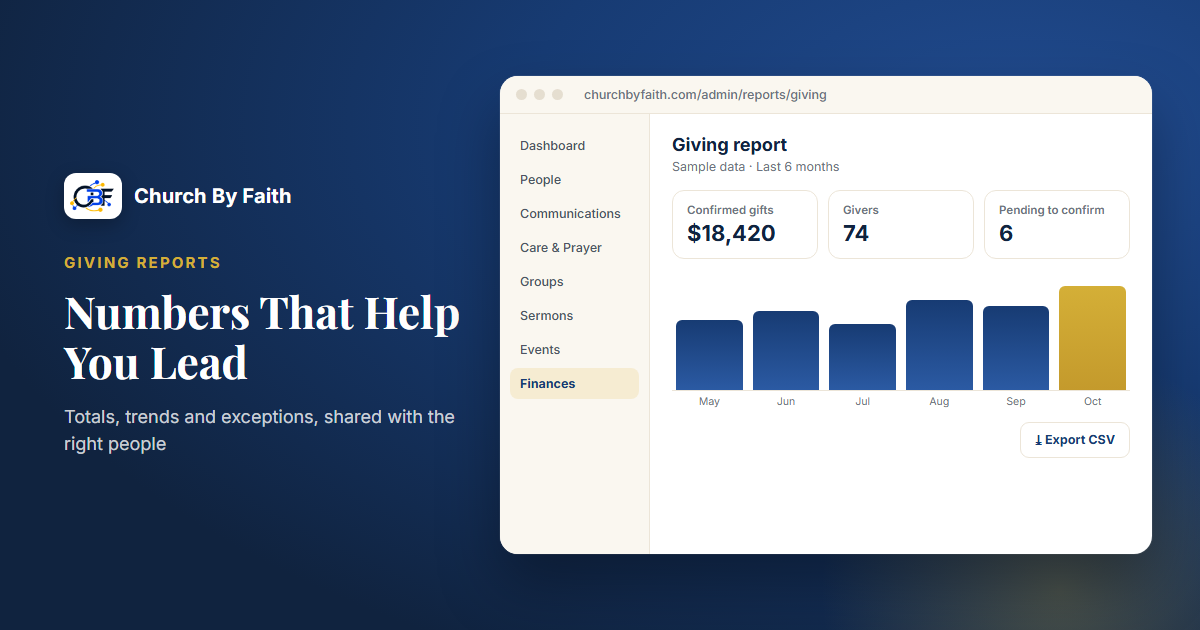
Every church leader eventually asks the same question: "How is giving doing?" The answer should not depend on who happens to have the spreadsheet open. A clear giving report lets pastors, boards and treasurers make wise decisions together, while protecting the privacy of every giver.
This guide covers what a useful report shows, who should see which parts and how to build a simple monthly rhythm around it.
Start with the questions leaders actually ask
A report is only useful if it answers real questions. Before you design one, list what your leaders need to know. In most churches it comes down to a handful:
- How much did we receive this month and this year so far?
- Are we on track compared to our budget and to last year?
- How much came in online, and how much in person?
- Is anything unusual: a sudden drop, failed payments, gifts not yet confirmed?
- Is our base of regular givers growing, steady or shrinking?
Notice that none of these questions require knowing what a specific person gave. Most leadership decisions can be made from totals and trends.
The core numbers every report should show
Keep the main report short enough to read in two minutes. These are the numbers that matter most.
Confirmed totals
Show confirmed giving for the period: gifts that have actually arrived or been counted and verified. Keep anything still pending in a separate line so leaders don't plan around money the church doesn't have yet.
Online and offline split
Break totals down by how they came in: card or PayPal online, and cash, check or bank transfer recorded by hand. This shows whether a change in giving is real or just a shift in how people give.
Trends over time
A single month means little on its own. Compare:
- this month against the same month last year,
- year-to-date against last year's year-to-date,
- and, if you keep one, year-to-date against your budget.
Seasonal patterns are normal. Summer and holidays often look different, and a comparison with last year helps leaders avoid overreacting.
Number of givers
Counting how many households gave (without names) tells you something totals can hide. A steady total from fewer givers is a different situation from a steady total from more.
Recurring gifts
If your church offers monthly giving, show how many recurring gifts are active and their combined value. This is the most predictable part of your income.
Watch the exceptions
Exceptions are where the treasurer's attention should go each week.
- Unconfirmed gifts. Cash, check or transfer gifts recorded but not yet verified.
- Failed payments. Card or recurring gifts that didn't go through. A kind note to the donor often solves the problem.
- Refunds and corrections. Mistakes happen. Each one should be explained in a short note.
- Unmatched gifts. Money received with no clear donor attached, which affects year-end statements.
A short exceptions list at the bottom of the monthly report shows the board that someone is paying attention.
Decide who sees what
Giving information is sensitive. Many churches choose that the pastor does not see what individuals give, so that pastoral care is never influenced by generosity. Whatever you decide, write it down.
A common pattern:
- The congregation sees an occasional summary: totals and progress toward needs, never names.
- The board or finance committee sees the monthly report with totals, trends and exceptions.
- The treasurer and a small counting team see individual gifts, because they count, confirm and prepare statements.
- The pastor sees totals and trends, and individual details only if your policy allows it.
Limit access to per-donor records to as few people as possible, and make sure exports are handled carefully. A spreadsheet of donor names left in a shared folder is a real risk.
Build a simple monthly rhythm
Reports help most when they arrive on a predictable schedule.
- Weekly: the treasurer confirms offline gifts, checks failed payments and clears exceptions.
- Monthly: the finance team reviews the core report and notes anything unusual.
- Quarterly: leaders compare against the budget and discuss any adjustments.
- Yearly: the treasurer exports the year's gifts to prepare contribution statements with the accountant.
What a one-page monthly report can look like
You don't need charts or a long document. A single page with these lines is enough for most boards:
- Confirmed giving this month, split into online and in person.
- Same month last year, for comparison.
- Year-to-date total, next to last year's year-to-date and the budget, if you have one.
- Number of households who gave this month.
- Active recurring gifts, with their combined monthly value.
- Pending gifts not yet confirmed.
- Exceptions, each with a one-line note: failed payments, refunds, corrections, unmatched gifts.
End with two or three sentences from the treasurer in plain language, such as "Giving is steady compared to last year. Two failed card gifts were resolved." That short summary is often what leaders remember.
Year-end statements and tax receipts carry legal requirements. Ask your accountant what your church must provide and by when. Don't treat any software report as tax advice.
How Church By Faith handles this
Church By Faith includes a giving report for churches using its Giving feature. Giving records come with every plan, including Basic, once an admin switches the feature on (see pricing).
- Giving report with per-donor pages. Under Reports, leaders with permission can see giving totals and open a page for each donor's history.
- Confirmed versus pending. Each member records the Zelle, cash, check or transfer gift they sent. It lands as pledged and counts in totals only after the treasurer confirms it arrived. Pending money stays out of the totals. Staff cannot enter a gift on someone else's behalf.
- Online and offline in one place. Where card and PayPal giving is on, gifts from hosted checkout sit alongside hand-recorded gifts. Today that is only our founding ministry: card giving is not yet available to other churches, because per-church payment accounts are not built.
- Monthly gifts admin. A screen for the church's recurring monthly card gifts. Like card giving, monthly giving runs only for our founding ministry today.
- Notifications. Email when an offering is received, and optionally when a payment fails.
- CSV export. Export gifts to a spreadsheet for your accountant and for preparing year-end statements.
- Access by role. Roles and permissions control who sees giving data, and exports are logged.
Church By Faith does not track designated funds, compare giving against a budget, connect to accounting software or generate year-end statements automatically. Many churches handle those steps in a spreadsheet built from the CSV export. Learn more on the features page.
Key takeaways
- Build the report around the questions leaders actually ask.
- Show confirmed totals, the online and offline split, trends and number of givers.
- Keep pending gifts separate and list exceptions every month.
- Write down who sees what, and keep per-donor data to a small team.
- Follow a weekly, monthly, quarterly and yearly rhythm.
- Ask your accountant about year-end statement requirements.
See how the giving report and CSV export work on the Church By Faith features page.