Media & Live Streaming
Church Live Streaming Checklist for Small Teams
By Church By Faith Team · · 5 min read
Equipment, roles and a simple before, during and after checklist so a small volunteer team can stream Sunday service calmly, week after week.
Most small churches do not have a media department. They have one faithful volunteer, a borrowed laptop and a hope that the stream works this week. The good news is that a reliable live stream has less to do with expensive gear than with a steady routine that anyone on the team can follow.
This guide covers the three things that make the difference: the right minimum equipment, clear roles, and a checklist for before, during and after the service.
Start with the minimum equipment that works
You can always add gear later. What matters first is that each piece is dependable and that your team knows how to use it.
Camera
- A recent phone or a simple camcorder is enough for most rooms. Mount it on a sturdy tripod, not a music stand.
- Place it where it can see the pulpit and the worship leader without being blocked by people standing up.
- Keep it plugged into power. A phone streaming for ninety minutes will drain its battery.
Audio
Viewers forgive grainy video much faster than bad sound. Audio deserves most of your budget.
- Take a feed from your sound board into the streaming computer or an audio interface, rather than relying on the camera's built-in microphone.
- If you have no board, a clip-on wireless microphone for the preacher is a big step up.
- Build a separate stream mix if you can. What sounds right in the room is often too quiet or too bass-heavy online.
Internet
- Use a wired connection whenever possible. Wi-Fi in a full sanctuary competes with every phone in the room.
- Test your upload speed at the time you actually stream, not on a quiet Tuesday.
- Keep a phone hotspot as a backup and know how to switch to it.
Computer and software
- One laptop dedicated to streaming, with updates and notifications turned off before the service.
- Streaming software or a browser-based studio. Pick one and learn it well rather than switching every few months.
Lighting
Clear front lighting on the speaker's face matters more than any camera upgrade. Two soft lights angled from the front often fix most problems.
Give every person a clear role
Even a team of two or three runs better when each person knows exactly what they own. Write the roles down so a new volunteer can step in.
- Stream operator. Starts and stops the broadcast, switches scenes and watches the stream health. This person does not also run sound.
- Audio volunteer. Owns the stream mix and listens on headphones to what viewers actually hear.
- Online host. Welcomes people in the chat, answers questions, shares links and passes prayer requests to the pastoral team. This role can be done from home.
- Backup. Someone trained on the basics who can take over if the operator is sick or called away.
On very small teams one person may cover two roles. If so, combine stream operator with online host, not with audio. Sound needs someone's full attention.
A short written runsheet helps everyone. List the order of service, when to switch scenes, when to show the scripture reading and when the offering moment comes.
Before the service: the setup checklist
Arrive early enough that a problem can be solved calmly. For most teams that means at least 45 minutes before the stream starts.
- Power on the camera, computer and audio equipment. Confirm the camera is charging.
- Check the internet connection and run a speed test.
- Open your streaming software and confirm the video source is the right camera.
- Do a sound check with the stream mix, not just the room mix. Listen on headphones.
- Check the framing, focus and lighting on the pulpit.
- Load the scripture readings, song lyrics and announcement slides you plan to show.
- Silence notifications on the streaming computer and any phone used as a camera.
- Schedule or prepare the broadcast title and description so people can find it.
- Start a short private test stream if your platform allows it, and watch it on another device.
- Send the online host the links they will share: giving, prayer and next steps.
During the service: stay calm and watch the right things
Once you are live, the job is mostly watching and making small adjustments.
- Watch the audio meters and listen on headphones throughout. Levels change when the band starts or a guest speaker takes the microphone.
- Keep an eye on stream health. If the connection drops, most tools reconnect automatically. Don't restart the whole broadcast unless you must.
- Switch scenes on cue. Use your runsheet for the reading, the sermon and the offering.
- Let the online host carry the conversation. A warm "Welcome, glad you're with us today" in the chat makes online viewers feel seen.
- Pass prayer requests along quietly to the pastoral team instead of answering sensitive needs in a public chat.
If something goes wrong, post a short note in the chat ("We're fixing a sound issue, thanks for your patience") and keep going. Viewers are usually kind when they know someone is working on it.
After the service: close well and learn
The last ten minutes matter as much as the first.
- End the broadcast properly so it is saved and archived as expected.
- Turn off the camera, microphones and lights, and put chargers and cables back in the same place.
- Note anything that went wrong or felt awkward, with the time it happened.
- Thank your volunteers by name.
- Hold a five-minute review once a month: what worked, what to fix and what to try next.
Keep a simple log. Over a few weeks it will show you patterns, such as the Wi-Fi dropping at a certain time or the audio clipping during the last song.
How Church By Faith handles this
Church By Faith includes Live Studio, a streaming workspace that is switched on by default on the Premium and Network plans; churches on other plans can ask us about it (see pricing). It is designed so a small team can run a stream without stitching together many separate tools.
- Flexible video sources. Stream from a phone or laptop camera in the browser, from vMix, or from an encoder such as OBS.
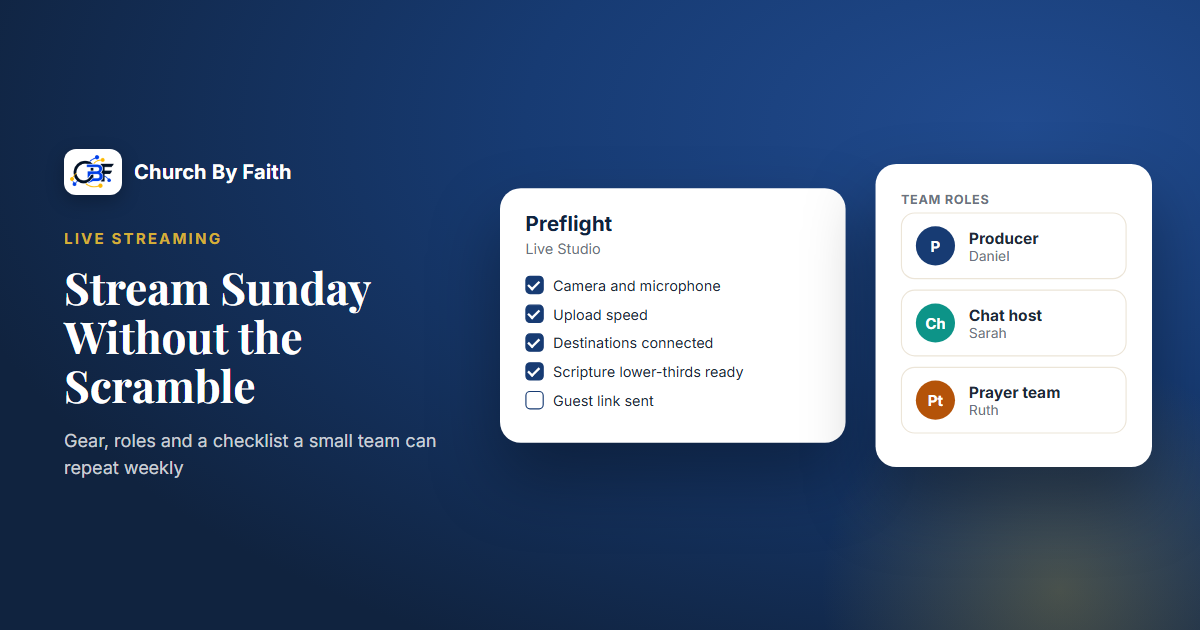
- Preflight and source health. A preflight step and live source health indicators help the stream operator catch problems before and during the service.
- On-screen elements. Scenes, scripture lower-thirds, church branding and backgrounds are built in, so the runsheet can be followed from one screen.
- Room for your roles. A remote producer can help from another location, and guests can join by invite link. Live chat, prayer requests and a Giving Moment give your online host something to work with.
Live Studio does not replace good audio or a steady internet connection, and it does not schedule your volunteers. You will still want a written roster for who serves each week. You can read more on the features page.
Quick checklist
- Spend first on audio, then lighting, then camera.
- Use a wired connection and keep a hotspot as backup.
- Assign an operator, an audio volunteer, an online host and a backup.
- Arrive 45 minutes early and sound-check the stream mix on headphones.
- Watch audio and stream health during the service, and let the host handle the chat.
- End the broadcast properly, log issues and review monthly.
See how Live Studio fits a small team's Sunday routine on the Church By Faith features page.