Church Management
Church Member Database: What Information Should You Track?
By Church By Faith Team · · 5 min read
A good church member database helps you care for people without collecting more than you need. Here is what to track, what to skip, and how to keep it private.
Every church keeps some kind of member list, whether it is a spreadsheet, a card file or a church platform. The harder question is what belongs in it. Track too little and people fall through the cracks; track too much and you carry information you do not need and cannot fully protect.
Start with the purpose of each field
Before adding a field to your member records, ask one question: what will we do with this? If you cannot name a real ministry use, leave it out.
A few examples of fields with a clear purpose:
- Phone and email: so you can reach people for care and church news.
- Preferred language: so a Spanish-speaking family receives communication they can read.
- Birthday or anniversary: so a pastor or care team can send a note.
- Emergency contact: for youth trips, retreats and medical situations during church activities.
And a few that often sneak in without a purpose: employer, income, full family history, or detailed notes from casual conversations. If nobody acts on it, it is only risk.
The core fields most churches need
Most small and mid-size churches do well with a short, consistent set of information for each person.
Contact and identity
- Legal name and preferred name
- Email and mobile phone
- Preferred way to be contacted
- Language preference
- Mailing address (only if you mail things)
- Photo (optional, and only with permission)
Church relationship
- Visitor or member, and when that changed
- First visit date and how they heard about the church
- Membership date
- Baptism status and date
- Small group or class
Care and serving
- Birthday and anniversary
- Marital status, if your ministries use it
- Emergency contact
- Skills, talents and general availability to serve
- Whether they have asked for a leader to contact them
Children and families
Children usually appear in your records through their parents. Link each child to a parent or guardian, and record only what ministry needs: name, birthday, and any allergy or medical note parents choose to share for activities. Keep children's details out of the congregation directory, and limit access to the children's ministry leaders who actually need it. When a child becomes a teenager and joins the youth group, review what you hold and whether the family still wants it kept.
Notice what is not on the list: private counseling notes, health details and prayer requests do not belong in a general member record. Those need a separate, more protected place, if you record them at all.
Privacy: collect less, protect more
Churches are trusted with personal information, and that trust is part of your witness. These habits keep it safe.
Collect the minimum. Every field you add is one more thing to secure, correct and eventually delete. Start small; you can always add a field later when a real need appears.
Ask for consent, by channel. Someone happy to receive email may not want text messages. Record what each person agreed to, how they agreed and when. Make it easy to change.
Limit who can see what. A greeter team leader does not need home addresses. A group leader does not need giving history. Grant access by role, and review it when people change roles.
Let members control their directory listing. A congregation directory is a blessing for community, but each person should decide whether their phone, address or birthday appears in it.
Keep sensitive notes separate. Pastoral conversations and care details should live in a tool with tighter access, not in a field every admin can read.
Have a plan for leaving. When someone moves away or asks to be removed, know what you will delete, what you must keep (such as giving records for tax purposes) and who handles it.
Secure the logins. Most data problems start with a weak or shared password. Ask every staff member and leader to use their own account, a strong password and two-step verification where it is offered. Never share one office login among several people.
Do not overpromise. Unless your system and processes are certified for it, do not describe your church database as meeting health-privacy or other formal compliance standards.
Keep the data clean
A database is only useful if it is accurate. A few simple routines help:
- One owner. Assign one person to be responsible for data quality.
- One record per person. Merge duplicates as soon as you notice them.
- Let people update their own details. Members know their new phone number before the office does.
- Review once a year. Invite members to check their profile each January, and archive people who have clearly moved on.
- Use consistent choices. Pick fixed options ("Baptized: yes / no / not sure") rather than free text, so you can filter reliably.
How Church By Faith handles this
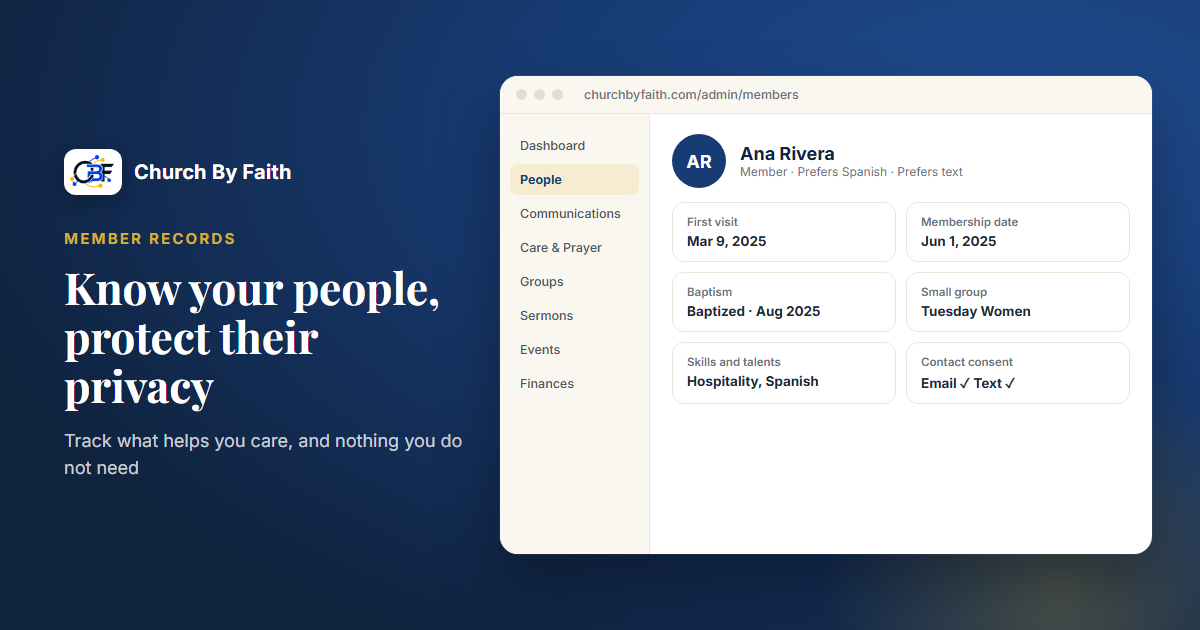
Church By Faith gives every church a member roster (People) with server-side search, filters, sorting and follow-up status. Profiles cover the core fields described above, including preferred name, language, preferred contact method, birthday, anniversary, emergency contact and address, plus per-church fields such as first visit date, how they heard about you, membership date, baptism status and date, small group, and skills and talents.
Each profile records a relationship to the church (visitor or member) that is separate from the person's role, so what someone is and what they may do stay distinct.
Privacy is built in rather than added on:
- Email and phone are visible only to staff with member-management permission.
- The congregation directory is off for ordinary members until your church turns it on, and members choose which details show.
- Consent is recorded per channel (separate consents for email, text messages and phone calls), each with its source and time, and every change is audited. Members manage theirs under Profile → Privacy and contact.
- Tenant isolation at the database level keeps each church's records separate, and exports, settings changes and deletions are audit-logged.
- Two-step verification with an authenticator app and recovery codes is available at sign-in, along with a sign-in activity log.
- Members can delete their own account themselves, with an emailed confirmation step. Donation records are kept for seven years, unlinked from the account.
Your data is yours. On every plan, staff with the right permission can download gift and contact lists as CSV files. The Premium plan adds exporting your data whenever you want it at the time of writing, and on other plans you can ask us for an export. Compare plans on the pricing page, or contact us with questions about how your records are protected.
Key takeaways
- Give every field a ministry purpose, or leave it out.
- Keep a short, consistent core: contact, church relationship, care and serving.
- Keep counseling, health and prayer details out of the general member record.
- Record consent per channel, and let people change it easily.
- Limit access by role and let members control their directory listing.
- Assign one data owner and review records once a year.
See how Church By Faith keeps member profiles, consent and permissions in one secure place on the features page.