Communication
How to Use Church Push Notifications Without Overwhelming Members
By Church By Faith Team · · 5 min read
Push notifications can help your church or quietly wear out your members. A principled guide to what deserves a push, how to let people choose, and how to set limits.
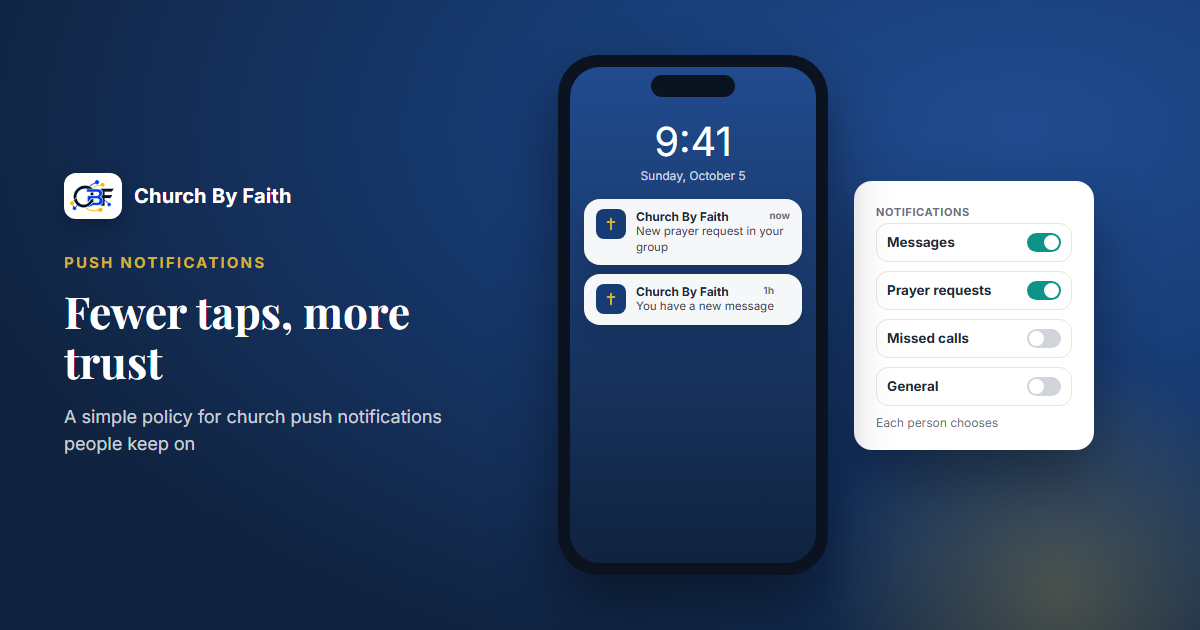
A push notification is the most intimate thing a church app can do. It lights up a phone on the nightstand, interrupts a meeting, or buzzes during dinner. Used well, it tells people something they are glad to know right now. Used carelessly, it trains them to swipe your church away, or to switch notifications off for good. This is a vendor-neutral guide to getting it right.
Why push is the most fragile channel
Email waits in an inbox until someone is ready. A push notification demands attention the moment it arrives. That makes it powerful, and it makes the permission behind it easy to lose.
A few things are true of push on almost every phone and browser:
- Permission is personal and revocable. Each person grants it on their own device, and can take it away with one tap.
- It rarely comes back. People who switch off notifications seldom go looking for the setting to switch them on again.
- Every app is competing. Your church shares the lock screen with news, shopping, games and work. Anything that feels like marketing gets lumped in with the rest.
- Others may see it. Notifications appear on lock screens, car displays and watches.
So the goal isn't to use push as much as possible. It is to protect the permission so that when something truly matters, people still hear it.
Decide what deserves a push
Before anything goes out, run it through three questions.
- Is it timely? Would the person be worse off learning it tomorrow by email?
- Is it for them? Does it concern this person, or a group they chose to follow, rather than "everyone"?
- Can they act on it? Is there something to open, reply to, join or decide?
If the answer to all three is yes, push is reasonable. If not, use email or your announcements board.
Usually worth a push:
- Someone replied to your prayer request or sent you a message.
- The livestream you asked to be reminded about is starting.
- A service or event you signed up for was cancelled or moved at short notice.
- A leader of a group you belong to posted something that needs a response today.
Usually not worth a push:
- The weekly newsletter is out.
- A general reminder about next month's event.
- A giving appeal.
- "Don't forget to read your Bible today," sent to everyone every day. Reading-plan reminders are worth offering only as an opt-in each person chooses.
Let people choose
The single best way to avoid overwhelming members is to let them decide what they receive.
- Offer categories. Separate personal messages, prayer updates, livestreams and events, and general church news, so someone can keep the ones they value and silence the rest.
- Default to the personal. Messages sent directly to a person are the safest to switch on by default. Broader categories are better left for people to turn on themselves.
- Ask at the right moment. Don't request notification permission the first time someone opens the app. Ask when it makes sense, such as right after they submit a prayer request ("Want to know when someone replies?").
- Explain what they'll get. A short line such as "We'll only notify you about replies to your messages and prayer requests" earns more trust than a bare permission prompt.
- Respect quiet hours. Outside real emergencies, hold non-urgent notifications for waking hours in the member's time zone.
Write notifications that protect privacy
Church notifications often touch sensitive things, so write them assuming someone else might be looking at the screen.
- Don't put the content in the notification. "You have a new message" is safer than showing the message itself. The same goes for prayer requests: "Someone replied to your prayer request," not the reply.
- Never name a need. A lock screen should never show a diagnosis, a family situation or a confession.
- Be clear about the sender. People should know at a glance that it came from their church, not a stranger.
- Keep it short. A title and one line. The detail lives inside the app, behind the person's sign-in.
- Match their language. A bilingual member should receive the notification in the language they chose.
Write a simple push policy
Put a few sentences in writing so that staff and ministry leaders use push consistently.
- Who can send. Limit general notifications to a small number of trusted people.
- What qualifies. Use the three questions above.
- A weekly ceiling. Decide how many general notifications your church will send in a normal week, keep the number small, and hold to it. Personal replies don't count toward it.
- Emergencies. Agree in advance what counts as one: a closure, a safety issue, a sudden change of service location.
- Review. Every few months, look at what you sent. Would members have wanted each one?
Here is sample wording you can adapt:
Our church sends push notifications only when something is timely, meant for you, and something you can act on. Replies to your own messages and prayer requests come as they happen. General church notifications are limited to a few a week, never between late evening and morning except in a real emergency, and never include private details. You can change your notification choices at any time.
A simple test for the policy: if a ministry leader asks for "just one quick push," would the answer be the same no matter which ministry asked?
Where Church By Faith is with push
We'd rather be plain about this. In the Church By Faith app, notifications are grouped into separate categories: messages, prayer requests, missed calls and general. On the web, members choose which emails they get (new sermons, upcoming events, new messages and prayer updates), and browser notifications are a single on/off switch for each device. Notifications are designed never to show message text on the lock screen, which follows the privacy principles above.
Push delivery isn't something to rely on today, though. It is still being finished, and the native Church By Faith app, where the notification categories live, is not in the app stores yet: Android is coming soon to Google Play, and iPhone is coming to the App Store after Apple review. The platform works in the browser on any phone right now. Announcements on the notice board also don't send push, so posting news doesn't buzz anyone's phone.
In the meantime, the tools that do the job today are:
- Email campaigns (on the Growth plan and up, at the time of writing) for news people have chosen to receive, by topic and in English or Spanish.
- The notice board for announcements, with pinning and scheduling.
- The shared inbox for personal replies to messages and prayer requests.
If push matters for your church's plans, ask us where it stands before you promise it to your members. You can also see the other communication tools on the features page.
Key takeaways
- Treat notification permission as trust you can lose, not an audience you own.
- Push only what is timely, personal and actionable.
- Offer categories and let people choose.
- Keep sensitive content off the lock screen.
- Write a short policy with a weekly ceiling and stick to it.
- Use email and your announcements board for everything else.
See where push fits among Church By Faith's email, inbox and notice board tools on the features page.