Media & Live Streaming
How to Keep People Connected After a Church Live Stream
By Church By Faith Team · · 5 min read
The stream ends, but the relationship shouldn't. Here is how to give online viewers a clear next step, care for their prayer needs and help them belong.
A live stream can reach people who would never walk through your doors on a first Sunday. But when the broadcast ends, many of those viewers simply close the tab. Nobody knows their name, and nobody follows up.
Keeping people connected is less about a better stream and more about what you offer once it is over. This guide walks through the next steps that help an online viewer become part of the church family.
Decide on one clear next step
Online viewers often leave because they don't know what to do next. If you offer five options, most people will choose none. Pick one main next step for each season and repeat it every week.
Good next steps are small and personal:
- "Let us know you're watching so we can pray for you."
- "Join us for online prayer right after the service."
- "Try a small group this month."
Say it from the pulpit, show it on screen near the end and have the online host post the link at the same moment. Then make sure a real person is ready to respond when someone takes that step.
Offer prayer while hearts are open
The minutes after a sermon are often when people are most ready to ask for help. A short prayer time that begins as the stream ends can feel like a natural extension of the service.
- Host a live prayer room 10 to 15 minutes after the broadcast, with one or two trained intercessors.
- Keep it simple. Welcome people, invite them to share a need if they wish and pray together. Don't pressure anyone to turn on a camera.
- Offer a private option. Some people will never speak in a group. Give them a way to send a request that only leaders read.
- Close the loop. When a pastor follows up a few days later with "We've been praying for you," trust grows.
Treat prayer requests with care. Decide in advance who reads private requests and how quickly someone will respond.
Make the message easy to find again
Many people watch the replay rather than the live service, and some want to share a sermon with a friend. Your sermons should be easy to find and pleasant to watch.
- Post the sermon in one predictable place on the same day every week.
- Organize messages into series or playlists so a newcomer can start at the beginning of a series.
- Add a short description with the scripture passage and one question for reflection.
- Think about listeners, not only viewers. Some people prefer to listen on a commute or during a walk.
Avoid scattering your messages across many places with different titles. When people know where to look, they come back.
Move people from watching to belonging
Watching is a start, not a destination. Faith grows in relationships, and online viewers need a path into them.
Small groups
- Offer at least one group that meets online or at a time that works for people who watch from home.
- Make joining easy: a simple request, then a warm welcome from the leader within a day or two.
- Give group leaders a way to message their group between meetings.
Discipleship steps
- A short course or reading plan gives an online viewer something to do between Sundays.
- A shared Bible reading plan can connect people who have never met in person.
Personal invitation
Nothing replaces a real person saying "I'd love for you to join us." Ask group leaders to watch for new names and reach out personally.
Follow up gently and consistently
When someone takes a step, respond quickly and personally. Then keep in touch without overwhelming them.
- Within a day: a short, warm welcome from a real person. Mention what they did ("Thanks for joining us for prayer on Sunday").
- Within a week: an invitation to one specific next step, such as a group, a class or a service.
- Ongoing: a regular email with the week's message, upcoming events and prayer points, sent only to people who chose to receive it.
Keep a simple record of who has been contacted and by whom. Without it, some people get three messages and others get none. And always respect how people want to be contacted.
Example wording for the first message
A first message should be short, personal and easy to answer. For example:
"Hi Ana, this is [pastor's name] from [church name]. Thank you for letting us know you were watching on Sunday. We prayed for the need you shared. Is there anything else we can pray about this week? If you'd ever like to visit in person, I'd love to say hello."
Notice what it does: it uses her name, mentions what she did, offers care and gives one gentle invitation. It doesn't ask her to fill out a form or sign up for five things.
If someone doesn't reply, that's fine. A second, lighter note a couple of weeks later ("Thinking of you, and glad you're part of our online family") keeps the door open without pressure.
How Church By Faith handles this
Church By Faith brings several of these next steps into one place, so your team does not have to juggle separate tools after every service.
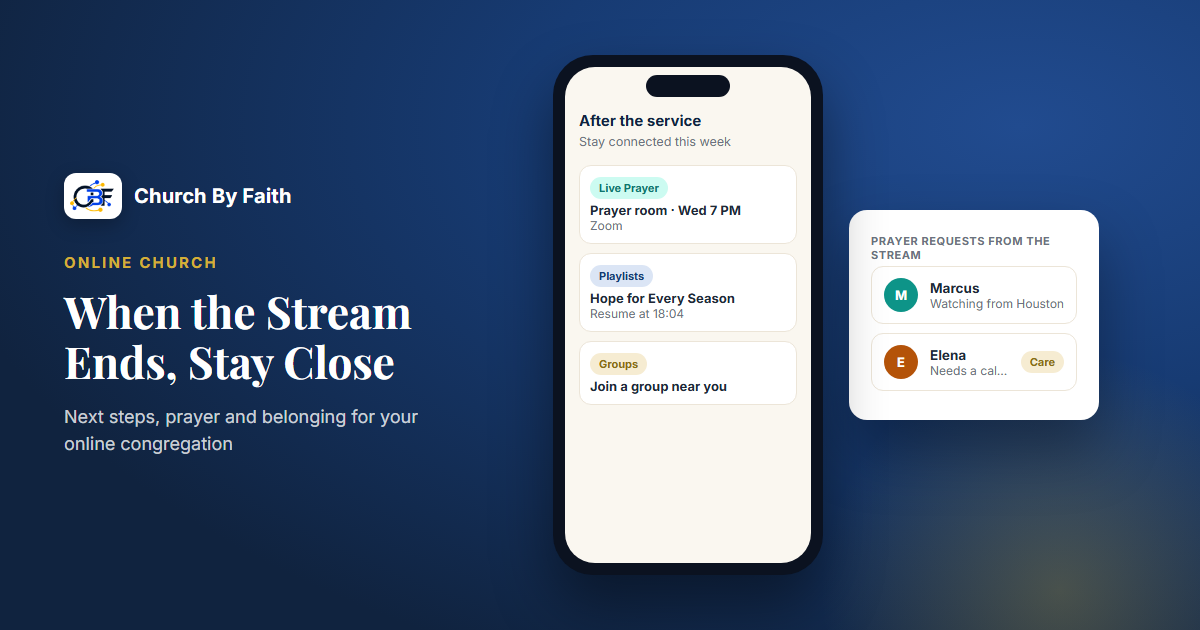
- Live Prayer rooms. Pastors can host prayer rooms on Zoom that people join from inside the app, available on the Growth plan and up ($89/month at the time of writing; see pricing). Each church needs a Zoom app configured for the rooms to be joinable.
- Prayer requests with privacy choices. People choose whether a request is seen by everyone at church, leaders only or no one but the pastoral team, and can share without their name.
- Sermons, video library and playlists. Messages are hosted without somebody else's ads. Playlists play continuously, and videos resume where the viewer left off. Offline listening is available for videos hosted by By Faith.
- Groups. People can request to join, leaders approve them and groups message each other inside the platform.
- Contacts and follow-up. Contacts can carry an "Online follower" badge, and segments help you find people who joined recently. A guest welcome email automation is included but ships as a draft, so you turn it on when you're ready.
- Email campaigns on Growth, in English and Spanish, reach people who have chosen a topic.
Church By Faith does not send bulk text messages or push campaigns, so plan your weekly follow-up around email and personal contact. You can see how the pieces fit together on the features page.
Key takeaways
- Choose one clear next step and repeat it every week.
- Offer live prayer right after the stream, with a private option.
- Keep sermons in one predictable place, organized by series.
- Give online viewers a real path into groups and discipleship.
- Follow up within a day, then within a week, and keep a record of who was contacted.
Explore the prayer, video library and groups tools that help online viewers stay connected on the Church By Faith features page.