Giving
Online Church Giving: What to Ask Before Choosing a Platform
By Church By Faith Team · · 5 min read
Online giving is a stewardship decision, not just a tech choice. These are the questions pastors and treasurers should ask any platform before signing up.
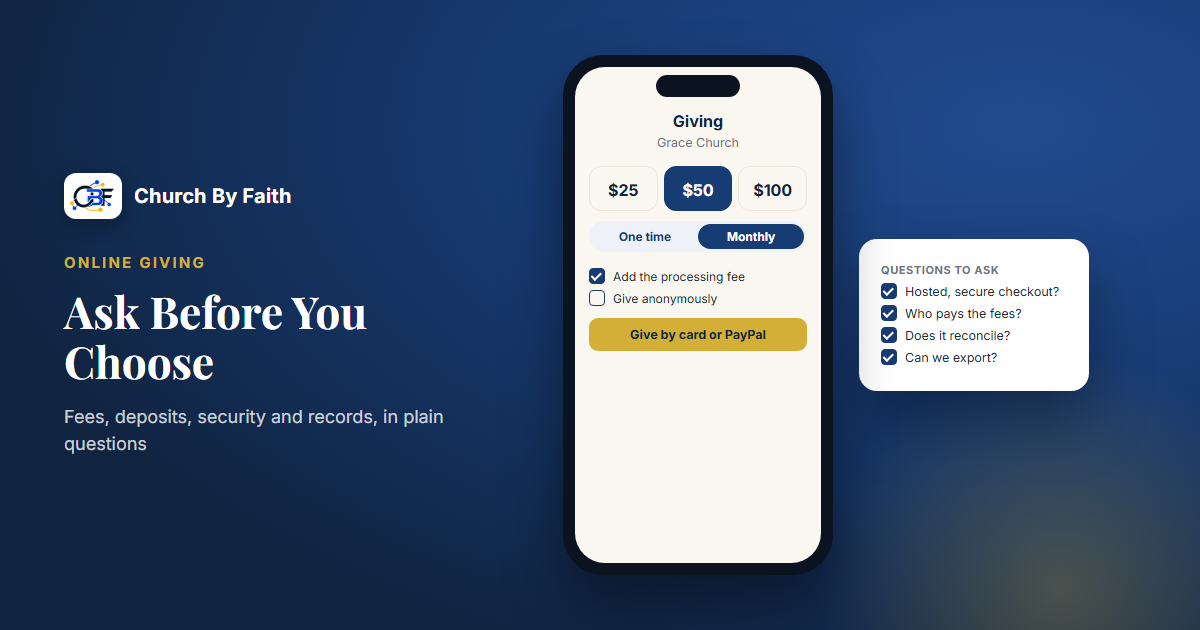
For many members, giving online is now as natural as giving in the offering plate. For the church, choosing how to receive those gifts is a stewardship decision. The right platform protects donors, keeps the treasurer's work manageable and makes generosity simple.
Before you sign up for anything, sit down with your treasurer or finance team and work through the questions below. The answers will tell you more than any sales page.
Questions about money: fees and deposits
Start with the questions that affect every single gift.
What does each gift cost?
- What is the processing fee per transaction, and who charges it: the platform, the payment processor or both?
- Is there a monthly subscription on top of processing fees?
- Does the platform take a percentage of donations for itself, separate from processing?
- Can donors choose to cover the processing fee so the church receives the full amount?
Get the answers in writing. A small difference per gift adds up over a year of Sundays.
Where does the money go, and when?
- Whose merchant account receives the funds: the church's own, or one operated by the platform?
- How long does it take for money to reach the church's bank account?
- How are refunds handled if someone gives the wrong amount by mistake?
- What happens to donations already in progress if you ever leave the platform?
These questions matter for your internal controls. Your treasurer should understand exactly how a gift travels from a donor's card to the church's account.
Questions about the donor experience
If giving is confusing, people give less often or give up entirely.
- Can someone give from a phone in under a minute?
- Do donors need to create an account, or can they give with just a name and email?
- Can a donor give anonymously if they wish?
- Which methods are accepted: cards, PayPal, bank transfer, digital wallets? Which of these matter most to your congregation?
- Is recurring giving available, and can donors change or cancel it themselves without calling the office?
- Is the giving page available in the languages your congregation speaks? For a bilingual church, a Spanish giving page is not a luxury.
Ask to try the giving flow yourself on a phone before deciding. Give a small real gift and see what the receipt looks like.
Questions about security and trust
Donors are trusting you with their money and their personal details.
- Does card information go through a hosted checkout from the payment processor, so the church's systems never store card numbers?
- Who on your staff can see donor names and amounts, and can you limit that access by role?
- Are changes to financial records and exports logged?
- How does the platform handle account deletion for someone who leaves, and how long are donation records kept?
A giving platform should make it easy to keep donor information to the smallest group of people who need it.
Questions about records and reporting
The treasurer lives with a giving platform long after the launch Sunday.
- Can you record cash, check and other offline gifts alongside online ones, so totals are complete?
- Is there a giving report by date and by donor?
- Can you export the data (for example, to a spreadsheet) for your accountant?
- Does the platform produce year-end contribution statements, or will you build them from an export?
- Does it support designated funds (building, missions, benevolence), if your church needs to track them separately?
- Does it connect to your accounting software, or will someone enter totals by hand?
Not every church needs every feature. A small congregation may be fine building year-end statements from a spreadsheet, while a church with several designated funds may need more. Decide what you actually need before you compare.
Tax receipts and contribution statements have legal requirements. Ask your accountant what your church must provide to donors, and don't rely on any software vendor for tax advice.
Questions about support and the long term
- Who helps you set it up, and is that help included?
- Is support available in Spanish if your team needs it?
- Can you export your giving history if you ever switch platforms?
- What is on the roadmap, and what is promised but not yet built? Treat unbuilt features as if they don't exist until they do.
A simple way to compare your options
Once you have answers, put them side by side so the decision isn't based on whichever demo felt nicest.
- List every question from this guide down the left side of a spreadsheet.
- Add one column for each option you're considering, including "keep doing what we do now."
- Fill in the answers in plain words, and mark anything you couldn't get a clear answer to.
- Ask your treasurer to review the money and records rows, and a bilingual member to test the giving page.
- Bring the finished sheet to your board or finance committee and decide together.
An option with a few honest "no" answers is often safer than one with vague "yes, soon" answers.
How Church By Faith handles this
Here is how Church By Faith answers these questions today, including what it does not do.
- Plan. Giving records come with every plan, including Basic; an admin switches the Giving feature on (see pricing). Online card and PayPal giving is not part of any plan yet, as explained below.
- Card and PayPal giving through hosted checkout. Today this runs only for our founding ministry. There, members tap "Give by card or PayPal" and pay on a Stripe or PayPal page, so card details never touch the app. Donors enter a name and email, can give anonymously and can choose to add the processing fee.
- Not yet for new churches. Card and monthly card giving run today only for our founding ministry, because per-church payment accounts are not built yet. That means your church cannot yet connect its own Stripe account; it is planned, and you can contact us to hear when it opens up.
- No cut of donations. Processing fees are between the church and Stripe or PayPal. Church By Faith doesn't take a percentage of gifts.
- Monthly giving by card was added recently, and donors can cancel their own monthly gift. Like card giving, it runs only for our founding ministry today.
- Offline gifts. Each member records the Zelle, cash, check or transfer gift they sent from their own account. It waits as pledged and counts in totals only once the treasurer confirms it arrived. Staff cannot enter a gift on someone else's behalf. Zelle is recorded manually, not connected.
- Records. A giving report with per-donor pages and a CSV export gives your accountant what they need to prepare statements.
Church By Faith does not offer ACH or bank-debit giving, text-to-give, designated funds, accounting software integration or automatic year-end statements. If any of these are essential for your church, weigh that honestly.
Quick checklist
- Get every fee in writing, including any cut of donations.
- Know whose account receives the money and how fast.
- Test the giving flow on a phone, in every language you need.
- Confirm hosted checkout and role-based access to donor data.
- Make sure offline gifts can be recorded and exported.
- Ask your accountant what statements and receipts your church must provide.
Ask us what giving looks like for your church today, and what is still being built, through the Church By Faith contact page.