Pastoral Care
How to Set Up Online Pastoral Care Appointments
By Church By Faith Team · · 5 min read
Online pastoral appointments can make care easier to reach. A step-by-step guide to setting boundaries, availability, video meetings, reminders and follow-up.
For many people, asking a pastor for time is hard. They don't want to bother anyone, they aren't sure whom to ask, or their work schedule never lines up with office hours. Online appointments by video can lower those barriers. They work best when the church decides in advance what they are for, who offers them and how each step happens. This guide walks through setting that up.
Decide what online appointments are for
Start with purpose, because it shapes everything else. Common reasons to offer online appointments include:
- A one-on-one prayer time
- A first conversation with a pastor after a visit
- Spiritual guidance or questions about faith
- Pre-baptism or membership conversations
- A check-in for someone who can't come in person because of illness, distance or caregiving
Be just as clear about what they are not. A pastoral conversation isn't professional counseling or therapy, and it isn't emergency help. Write a short statement people see before they book, for example: "Pastoral appointments are for prayer and spiritual care. If you or someone else is in danger, contact local emergency services right away." Keep a list of trusted local counselors and community resources so pastors can refer people when a need goes beyond pastoral care.
Set availability and boundaries
Online appointments can quietly take over a pastor's week unless limits are set up front.
- Who offers appointments. Decide which pastors and care team members take them, and whether people may choose someone or "no preference."
- When. Set specific blocks of time rather than "anytime." Include some evening or weekend slots if your people work long weekday hours.
- How long. A fixed length, such as 30 or 45 minutes, with a short buffer between appointments for notes and prayer.
- How often. Consider a gentle limit on how many appointments one person books in a month, so a few people don't fill every slot.
- Language. In a bilingual church, show which pastors can meet in English, Spanish or both.
- Minors and safeguarding. Decide whether you meet with minors at all online. If you do, require a parent's knowledge or presence, and follow your church's child-safety policy. A simple option is to offer online appointments to adults only and ask each person to confirm they are an adult.
- Rest. Pastors need days without appointments. Protect them.
Make asking for an appointment simple
The request should take a minute, not a form that feels like paperwork. Ask only what you need:
- Name and preferred way to be contacted
- Preferred pastor, or no preference
- Preferred language
- A few available days and times, in the person's own time zone
- An optional short note about what they'd like prayer or conversation about
Two approaches work:
- Request and confirm. The person submits a request, and someone from the care team replies personally with a time and the video link. This is slower, but warm, and it works with almost any tool.
- Self-scheduling. The person picks an open slot from the pastor's calendar and gets an automatic confirmation. It is faster, but it needs a scheduling tool connected to each pastor's availability.
Whichever you choose, time zones matter. Always show times in the person's time zone, and write the zone in every confirmation.
Confirmations, reminders and the video link
Once a time is set, the details should be impossible to lose.
- Confirm right away with the date, time and time zone, the pastor's name, and the video link.
- Put the link in every message, not just the first one, so nobody hunts through old emails five minutes before.
- Send reminders, such as a day before and an hour before, each with the link and an easy way to reschedule or cancel.
- Use a waiting room or host controls on your video platform so the pastor lets the person in. Don't reuse a public meeting link.
- Give a short "before you join" note: find a quiet, private place, test your camera and microphone, and join a minute early.
- Plan for no-shows. If someone doesn't join, the pastor waits a reasonable time, then sends a kind note offering another time. No guilt.
After the appointment: notes and follow-up
What happens after the call is where care becomes ongoing.
- Keep brief private notes, visible only to the people who need them: what was discussed in general terms, prayer points, and any agreed next step. Don't record more than you need, and never share notes outside the care team.
- Set a follow-up reminder if you promised to check in, and assign it to a specific person.
- Send a short thank-you the same day: "It was good to pray with you today. I'll check in next week."
- Refer when needed. If the conversation showed a need for professional help, follow up on the referral gently.
What Church By Faith offers for pastoral care today
Here is an honest picture of what churches get today.
- Prayer requests and a care queue. These work for any church on the platform, not only our founding ministry. Members share prayer requests and choose who sees each one: Everyone, Leaders only, Private, or without their name. With the AI Ministry Assistant (included in Premium), a conversation can be handed to a person on your care team; it lands in the care queue (Requests), where the team is notified and can pick it up. Advanced prayer routing and the pastoral care queue are on the Growth plan and up, at the time of writing.
- A private place for the conversation. The shared inbox has a Pastoral Care category that can be marked private, with internal notes the person never sees, and replies by email or text that respect the person's recorded consent.
- Zoom prayer rooms. Live Prayer rooms, hosted by pastors on Zoom and joined from inside the app, with host controls (Growth and up). Each church needs its own Zoom app configured first.
- A public prayer form for your church website, so people who aren't members can ask for prayer too. (The website itself is built by our team as a separate one-time service.)
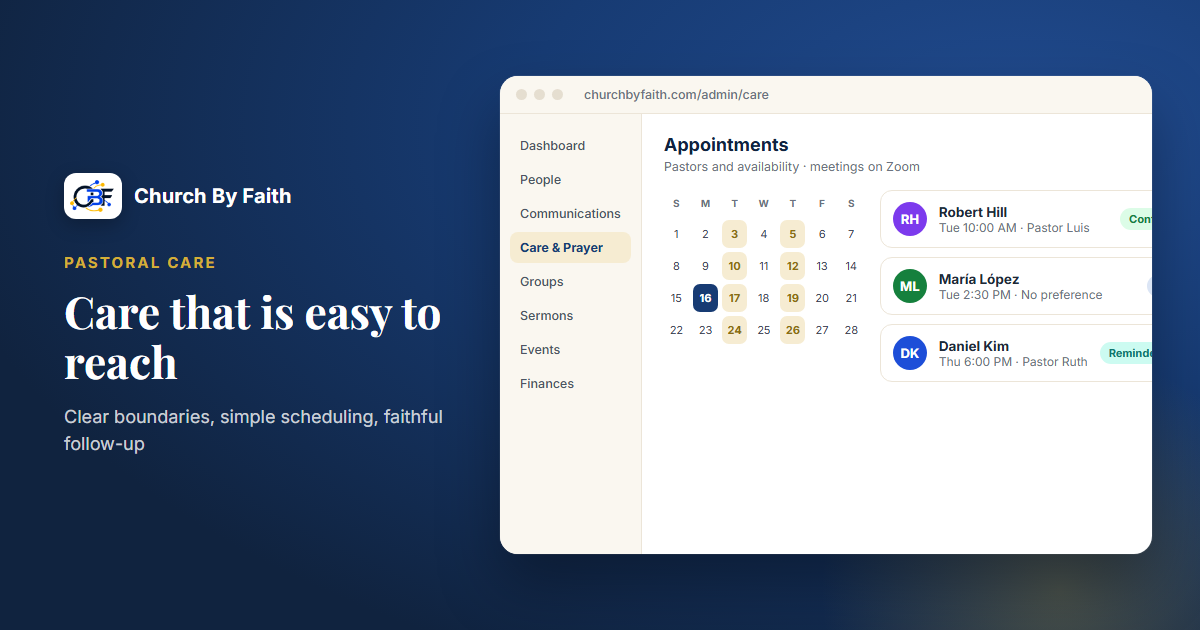
What isn't available to every church: a public self-serve booking page. Church By Faith has appointment scheduling tools, including pastor availability, email confirmations and reminders with the Zoom link, and rescheduling. Today, though, online appointment booking is live only for our founding ministry, not for every church. For most churches, the practical path today is the "request and confirm" approach above: let people ask through a prayer request (marked Private or Leaders only if they prefer) or the prayer form on your website, then reply personally with a time and a Zoom link. If your church wants self-scheduling, talk with us about what's possible, or pair Church By Faith with a separate scheduling tool.
You can see the rest of the care tools on the features page.
Quick checklist
- Write down what online appointments are for, and what they are not.
- Publish a clear emergency note and keep a referral list.
- Set appointment blocks, length, buffers and rest days for each pastor.
- Decide your policy for minors before anyone books.
- Keep the request short and always show time zones.
- Put the video link in every confirmation and reminder.
- Keep private notes minimal, and assign every follow-up to a person.
See Church By Faith's care queue, care requests and Zoom prayer rooms on the features page.