Church Management
How to Choose a Church App Without Paying for Unused Features
By Church By Faith Team · · 5 min read
Most churches overpay for software by buying the plan they might need someday. Here is a simple way to match a church app to what your congregation will actually use.
Church software plans are usually built like a staircase: each step up adds more features and a higher monthly price. It's easy to look at the top step and think, "We might need that someday." But a small church that pays for someday every month is spending offering money on features nobody opens.
Here is a straightforward way to choose a church app, and a plan within it, based on what your congregation will actually use.
Why churches end up overpaying
Overpaying rarely happens because a product is dishonest. It usually happens because of how the decision gets made.
- Buying for the church you hope to become. Growth is a good prayer, but you can upgrade when it happens.
- Choosing by the longest feature list. A long list looks like value, but every unused feature is a cost.
- Missing the limits. Two plans may have the same features but very different limits on admin users, video storage or locations.
- Forgetting the extras. Websites, payment processing fees, setup fees and add-ons often sit outside the monthly price.
- Nobody owns the rollout. A feature that no one introduces to the congregation is a feature no one uses.
Step 1: Write down what people will actually do
Think about two groups separately: your members and your team.
For members, ask what they would open the app for in a normal week. For many churches the honest list is short:
- Watch or listen to last Sunday's sermon.
- Submit or pray for prayer requests.
- See what's happening this week and say whether they're coming.
- Talk with their small group.
- Give.
For your team, list the admin jobs: keeping the member list current, reviewing prayer requests, publishing events, sending an email newsletter, recording offerings.
Then ask a hard question about every item: Who will do this, and how often? If the answer is "nobody, yet," it isn't a requirement.
Step 2: Sort must-haves from nice-to-haves
Take your list and put each item into one of three columns.
- Must have now. If this were missing, we'd keep using spreadsheets or group texts. These decide the plan.
- Would use within six months. Only count these if someone has already agreed to lead them.
- Nice someday. Live streaming studios, AI tools, multiple campuses. Park these until there's a clear reason.
A useful test: Would anyone notice if this feature disappeared next month? If not, don't pay extra for it.
Step 3: Price the limits, not just the features
Once you know your must-haves, look past the feature names to the numbers on the pricing page.
- Admin users. Count the people who truly need admin access: pastor, administrator, treasurer, maybe a care leader. Others can often do their work with a narrower role.
- Video storage and bandwidth. If you upload every sermon as video, estimate how much you add each month. Ask what happens when you run out: does video stop playing, or do uploads just pause?
- Locations. Only relevant if you really run more than one campus.
- Events and records. Some plans cap how many events or sermons you can keep active.
- Outside costs. Card processing fees, a public website and domain names are often billed separately.
Price your real church for a full year, then compare the monthly and yearly options.
Step 4: Keep the app simple for your congregation
Paying less is only half of it. A church app with ten tabs nobody uses confuses people, especially older members or those less comfortable with technology.
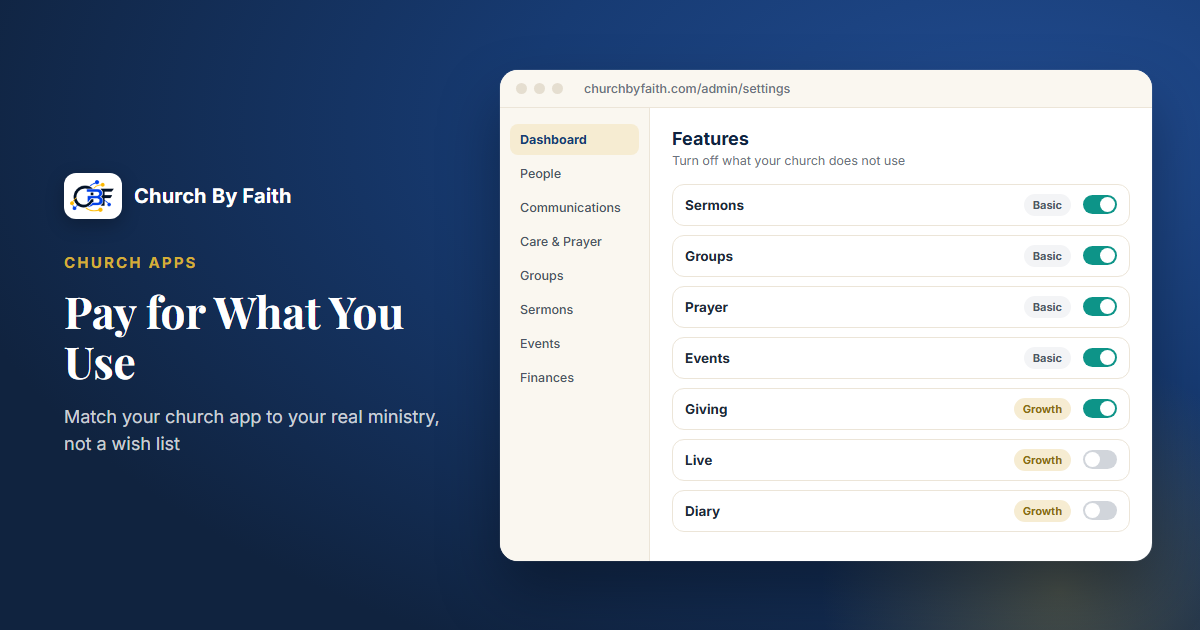
- Turn off what you don't use. If the software allows it, hide features your church hasn't adopted yet.
- Launch one thing at a time. Start with sermons and prayer requests, for example, then add groups later.
- Name one owner per feature. Someone who answers questions and keeps it current.
- Check it on a phone. Most members will use it on a phone, so make sure it works well there, whether through a native app or the browser.
- Review after three months. Look at what people actually used, and decide whether to move up or down a plan.
Jesus asked, "For which of you, intending to build a tower, sitteth not down first, and counteth the cost?" (Luke 14:28, KJV). Counting the cost, and choosing only what you will use, is part of faithful stewardship.
How Church By Faith plans are structured
Church By Faith has three plans. The prices and limits below are at the time of writing; the pricing page is the current source.
Basic, $39/month. Members, groups, roles and single-use email invitations; sermons and the Bible; prayer requests; events with attendance; announcements; giving records (members record the gifts they send by cash, check, Zelle or transfer, and your treasurer confirms each one); your logo and colors; English or Spanish for every person; email support. Limits include 2 admin users, 1 location, 25 sermon and video records, 10 active events, and 50 GB of video storage.
Growth, $89/month. Everything in Basic, plus the member portal, advanced prayer routing and a pastoral care queue, a video library, email campaigns with contacts, segments and consent tracking, and Church By Faith branding removed. The private prayer journal and Zoom-based live prayer rooms are also Growth features; prayer rooms need a Zoom app configured. The Live Studio for streaming is switched on by default on Premium and Network; churches on other plans can ask us about it. Online card and PayPal giving is not part of any plan yet: it runs today only for our founding ministry, while per-church payment accounts are built. Limits rise to 8 admins, 3 locations, 150 sermon and video records, unlimited events and 250 GB of storage.
Premium, $179/month. Everything in Growth, plus advanced roles granted person by person, no limits on admins, sermons, videos or events, up to 10 locations, self-service data export, priority onboarding with a quarterly review, and the Ministry Assistant, an AI tool that answers only from your church's approved teaching.
A few honest notes:
- Yearly billing gives you two months free.
- Administrators can switch off any feature the church doesn't use, which keeps the app simple. It doesn't change the price, so choose the plan by your must-haves.
- A public church website is a separate one-time service, not part of any monthly plan.
- The member experience works in the browser on any phone today, and the native app is coming.
- Processing fees for card gifts are between your church and the payment provider. Church By Faith doesn't take a cut of donations.
If your must-have list fits Basic, start there. You can move up when a real need, and a person to lead it, shows up. To see what each feature actually does before you decide, browse the features page.
Quick checklist
- List what members and staff will do in a normal week.
- Mark each item must-have, six months, or someday.
- Count real admin users, video uploads and locations.
- Add outside costs: processing fees, website, domain.
- Price a full year, monthly vs. yearly.
- Turn off features you're not using yet.
- Review usage after three months before upgrading.
See what each part of Church By Faith does before you choose a plan: explore the features.