Communication
Church Communication Software: Email, Text, Push and Phone
By Church By Faith Team · · 6 min read
Email, text, push notifications and phone calls each do a different job. Here is what each channel is good for, what it needs before you use it, and how to choose.
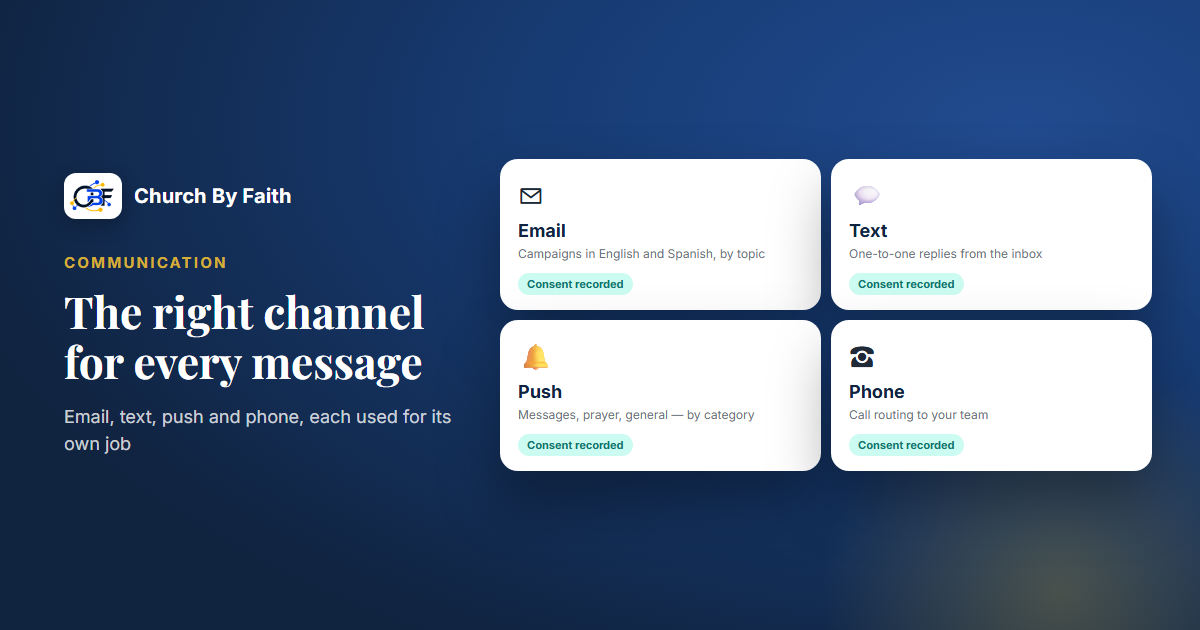
Most churches don't have a communication problem so much as a channel problem. The announcement that should have been an email went out as a text, the prayer update that needed a personal call became a group post, and the people who most needed to hear something missed it. This guide explains what email, text, push notifications and phone calls are each good for, what each one needs before you use it, and how to choose between them.
Four channels, four different jobs
It helps to think of each channel as a different kind of visit. One is a letter, one is a knock on the door, one is a tap on the shoulder, and one is sitting down together.
Email is your letter. It can hold detail: a monthly newsletter, a ministry update with photos, an introduction to a new sermon series, next steps for new members. People read it when they choose to, so it suits anything useful but not urgent.
Email's strengths are length, links and a record people can find later. Its weakness is attention. Inboxes are crowded, so the subject line has to earn the open.
Text messaging
A text is a knock on the door. It is short and personal, and it is usually read quickly, which is exactly why it should be used with care. Text works best for one-to-one conversations: replying to a visitor who asked for a call, checking in after a hospital visit, confirming a time with a family.
Texting also carries the heaviest rules. In the US, carriers expect organizations, churches included, to register how they text. People must agree to receive messages, and they must be able to opt out.
Push notifications
A push notification is a tap on the shoulder from an app or browser the person has already allowed. It is best for short, timely nudges such as "The livestream is starting" or "Someone replied to your prayer request." It reaches only people who installed the app or turned on browser notifications, and it is the easiest channel to overuse. Once someone switches notifications off, they rarely switch them back on.
Phone calls
A phone call is still the most pastoral channel you have. Grief, illness, conflict, a first-time guest who asked to talk with someone: these deserve a voice, not a message. The practical questions are who answers the church line, where calls go after hours, and how messages get back to the right person.
What each channel needs before you use it
Every channel has a setup cost. Plan for it before you promise anything from the pulpit.
- Email needs a sending address people recognize, a list of people who agreed to hear from you, and an easy way to unsubscribe. Letting people choose topics (events, prayer, newsletter) keeps lists healthier than one list for everything.
- Text needs a dedicated number, carrier registration for that number, recorded consent from each person, and a working way to stop messages. Replying STOP is the standard. Unregistered messages may be filtered or blocked.
- Push needs an app or website that supports notifications, the person's permission on their own device, and settings that let them choose what they receive.
- Phone needs a clear owner. A number that rings into an empty office, or a voicemail box nobody checks, does more harm than having no number at all.
One rule covers all four: consent is per channel. Someone who wrote an email address on a visitor card has not agreed to receive texts. Record each channel separately, along with when and how the person agreed.
Matching the message to the channel
When you are unsure, ask two questions. How urgent is this? And how personal is it?
| Message | Best channel | Why | |---|---|---| | Monthly newsletter | Email | Long, not urgent, worth keeping | | Reply to a visitor who asked to be contacted | Text or phone | Personal and time-sensitive | | "Service is online only because of the storm" | Email and your notice board, plus push if you have it | Urgent and for everyone | | Follow-up after a hospital visit | Phone, then a short text | Personal and pastoral | | New sermon series | Email and the notice board | Informational | | Response to a prayer request | A private reply on the person's chosen channel | Personal and sensitive |
A few short scenarios show the pattern.
A first-time guest fills in a visit form and ticks "I'd like someone to contact me." A short personal text or call from a named person within a day or two says far more than being added to a newsletter.
A snowstorm closes the building on Saturday night. Email reaches everyone who is subscribed, the notice board catches people who open the church website or app, and a phone tree covers the members who aren't online.
A family loses a grandparent. Nobody should learn about it from a group message. The pastor calls, and the care team follows up in person.
Common mistakes to avoid
- One channel for everything. When every message is a text, texts stop feeling personal.
- Borrowed phones. Staff texting from personal cell phones leaves no record, blurs boundaries, and takes the conversation with them when they move on.
- No bilingual plan. If your congregation reads in English and Spanish, decide how each message reaches each language. A long English email with one Spanish line at the bottom serves nobody well.
- Assuming consent carries over. Signing up for one ministry list is not permission for everything.
- Forgetting the offline members. Some of your most faithful people don't use apps. Keep a phone list for them.
How Church By Faith handles communication
Church By Faith keeps these channels in one Communications area, with an inbox, contacts, segments, email campaigns, message templates and settings. Here is what each channel looks like today, stated plainly.
- Email. Email campaigns (on the Growth plan and up, at the time of writing) have a subject, preview text, a topic and an audience, with separate English and Spanish versions. You can send a test, approve, then send or schedule. People receive campaigns only for topics they chose, and a public preferences page lets them change topics or language, or unsubscribe.
- Text. Staff can reply to people one-to-one by text from the inbox, using the church's own number. This requires the church's own carrier (A2P 10DLC) registration, which By Faith Apps confirms before the number is approved. There is no bulk texting and there are no SMS campaigns.
- Push. Notification settings exist in the product, but push delivery isn't something to plan around yet, and the native app isn't in the app stores. Church By Faith works in the browser on any phone today, and a native app is coming.
- Phone. Call routing to your team is part of Communications, and calls and voicemail land in the same inbox. It is newer, so test it with your own calls before you publish a number.
- Announcements. The notice board (Notices) handles news for everyone, with pinning, audience targeting and scheduling.
Behind all of this, each person's consent for email, text and calls is recorded separately with its source and time, and members can manage their own choices in their profile. You can see the full list on the features page and compare plans on the pricing page.
Quick checklist
- Decide which channel each type of message uses, and write it down.
- Record consent per channel, with the date and source.
- Register any number you plan to text from before you use it.
- Keep texting for personal, time-sensitive conversations.
- Give people a clear way to choose topics and to opt out.
- Plan for every language your congregation reads.
- Keep a phone list for members who aren't online.
See how email, one-to-one texting and the inbox fit together on the Church By Faith features page.