Events
Church Event Registration and Reminders: A Practical Setup Guide
By Church By Faith Team · · 5 min read
A practical way to set up event registration and reminders for your church, from the event page to the follow-up, with honest workarounds where tools fall short.
A good church event starts long before the doors open. People need to hear about it, understand what it is, sign up easily and remember to come. When any of those steps is missing, you end up with empty chairs or not enough food.
This guide walks through a practical setup for event registration and reminders that works for a small team, whatever tools you use. Where common tools fall short, it offers simple workarounds.
Decide what kind of registration you need
Not every event needs sign-ups. Choosing the right level keeps things simple for your team and for your congregation.
- No registration. Regular services and open gatherings. Just publish the date, time and place.
- A simple RSVP. A fellowship meal or a workday, where you want a rough headcount.
- Registration with a limit. A retreat, a class or a training with limited seats or materials.
- Registration with payment. A conference, a camp or a trip with costs to cover.
Ask one question for each event: "What do we need to know in advance to serve people well?" If the answer is "nothing," skip the registration.
Build an event page people can understand
Whatever tool you use, every event page should answer the same questions quickly.
- What is it, in one plain sentence?
- When does it start and end?
- Where is it, with parking or entrance details if needed?
- Who is it for: everyone, women, youth, families?
- What does it cost, if anything, and how do people pay?
- Who can they contact with questions?
For a bilingual congregation, write the page in both languages, not just a translated title. A family that reads only Spanish should get every detail.
A short description can cover all of this in a few lines:
"Family Picnic. Saturday, June 14, 11 a.m. to 2 p.m., at the park behind the church (enter from Oak Street). For all ages. Free; please bring a side dish to share. Questions? Contact the church office."
Add a clear cover image and publish the event at least two to three weeks ahead for bigger gatherings. If plans change, update the page right away and tell the people who already signed up.
Set up RSVPs and capacity
Once you know what you need, keep the sign-up as short as possible.
- Ask only what you will use. A name and a headcount is often enough.
- Set a capacity if space or supplies are limited, and decide what happens when it fills: a waiting list, or a note to contact the office.
- Offer "maybe." It gives you a more honest picture than forcing a yes or no.
- Name one person who checks the list each week and answers questions.
- Close registration a day or two before, so the team can prepare.
On the day, keep a printed list at the door. If you track attendance, record who actually came, which is often different from who signed up.
Plan your reminders
Reminders turn sign-ups into attendance. A simple schedule works well:
- Two to three weeks before: announce the event and open registration.
- One week before: a reminder to everyone, with the main details.
- Two days before: a personal note to registered people, with what to bring and where to go.
- The day of: a short "See you tonight" message for important events.
If your tools don't send reminders automatically
Many church platforms, including Church By Faith for ordinary events, don't send automatic event reminders. You can still build a reliable routine:
- Put reminders on the team calendar. Create reminder tasks when you publish the event, so nobody has to remember them.
- Schedule an announcement to appear in the week before the event.
- Send a reminder email to the people likely to come, or to everyone who signed up.
- Ask group and ministry leaders to remind their own people personally. A message from someone they know works better than any automation.
- Encourage registrants to add the event to their own phone calendar when they sign up.
Keep a short template ready so each reminder takes a minute: "Hi [name], just a reminder that [event] is this [day] at [time] at [place]. Bring [item]. Questions? Reply to this message."
After the event
The follow-up is part of the event, especially for guests.
- Send a short thank-you to everyone who came, with photos only if people agreed to be photographed.
- Personally contact anyone who came for the first time, within a few days.
- Ask your team two questions: what worked, and what should change next time.
- Note the final attendance next to the RSVP count. Over time, this helps you plan food, seats and volunteers more accurately.
Handle paid events honestly
If an event has a cost, don't let payment create confusion.
- Use a separate payment tool designed for event payments, or collect at the door.
- Keep a simple list of who has paid, next to your RSVP list.
- Don't record event fees as donations. Paying for a retreat or a meal is usually not a charitable gift, and mixing the two can cause problems with giving statements. Ask your accountant how to handle event income.
- Offer help quietly. Many churches invite people to speak privately with a pastor if cost is a barrier.
How Church By Faith handles this
Church By Faith includes events on every plan. Basic allows up to 10 active events, and Growth and Premium have no limit (see pricing).
- Events with cover images. Create and publish events. Published events also appear on your church's public website if you have one, and cancelling an event removes it from the public calendar.
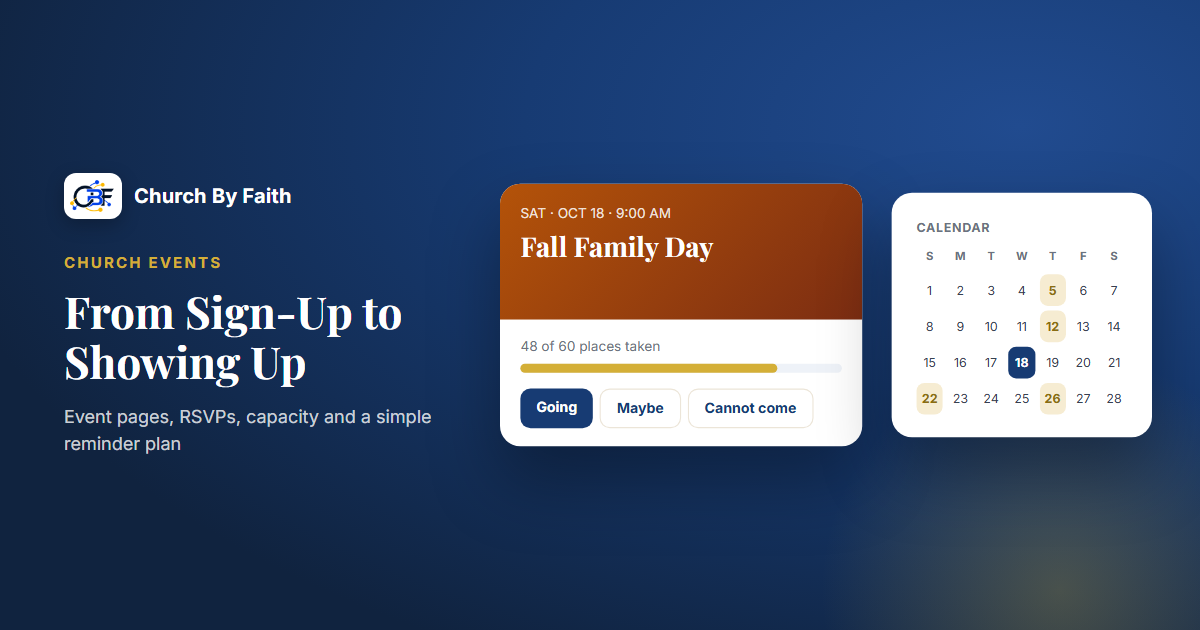
- Optional RSVP. Turn on "Ask people to RSVP" and members can answer Going, Maybe or Cannot come.
- Capacity limits. Show how many places are taken so people know when an event is filling.
- Calendar. A church calendar with month and list views on the web, and an upcoming-events agenda (the next 60 days) in the app, where members see their own events.
- Attendance registers. Mark people present, absent or excused, separately from RSVPs.
- Workarounds that fit. Notices can be scheduled to appear before the event, and on Growth you can send email campaigns in English and Spanish to people who chose to receive event emails.
To be clear about the gaps: ordinary events don't send automatic reminders, and there is no paid ticketing or event payment. For Zoom-based events with public registration, ask us about campaign events through the contact page.
Quick checklist
- Choose the lightest registration each event needs.
- Answer what, when, where, who, cost and contact on every event page, in every language you serve.
- Ask only for information you'll use, and set a capacity if space is limited.
- Put a reminder schedule on the team calendar when you publish.
- Use leaders, announcements and email to remind people.
- Handle paid events with a separate payment tool, and keep fees apart from donations.
See how events, RSVPs and the church calendar work on the Church By Faith features page.