Church Management
Church Management Software Costs Beyond the Monthly Price
By Church By Faith Team · · 6 min read
The monthly price is only the starting line. Here is how to budget for the full cost of church management software, including the costs that never show up on an invoice.
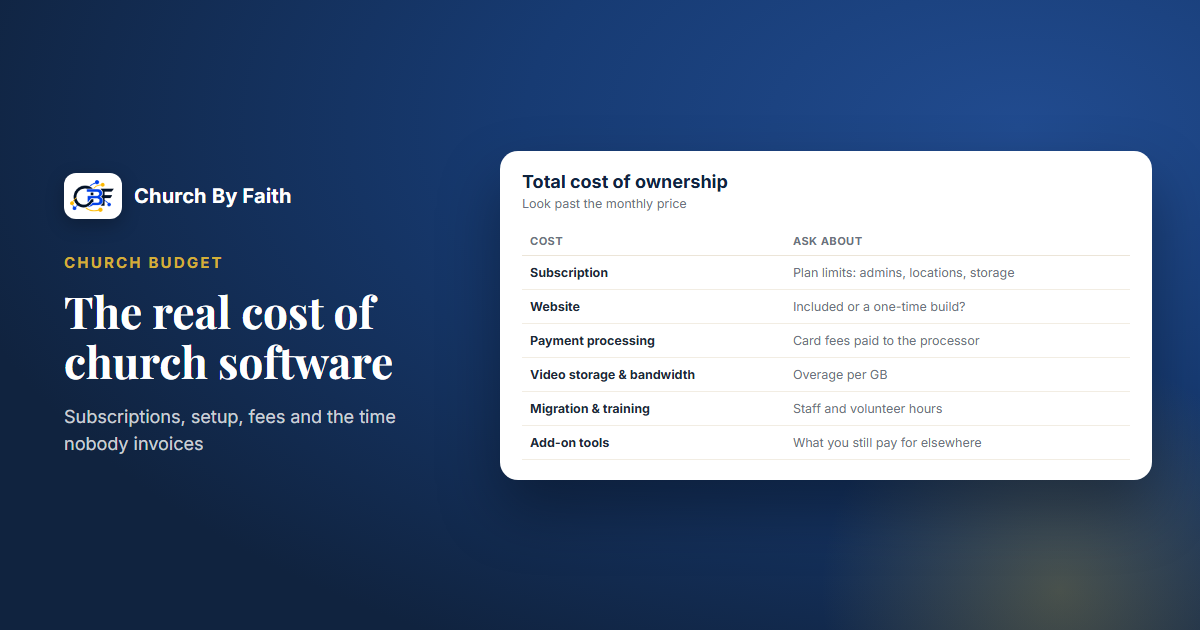
When a church compares software, the monthly price is usually the first number on the whiteboard and often the only one. But the real cost of a platform includes setup, fees, other tools you still need, and hours of staff and volunteer time. Budgeting for all of it up front protects your church from surprises and helps your board make an honest decision.
The monthly price is only the starting line
A subscription price tells you what you pay to use the software. It does not tell you:
- What the plan leaves out, and what it costs to add.
- What happens when you grow past a limit.
- What you pay other companies to make the platform work (payment processing, texting, video calls).
- How long it takes your team to move in and learn it.
A cheaper plan that needs three add-ons and a second tool can cost more than a higher plan that covers the job. The only fair comparison is the total cost for your first year and a typical year after that.
What the subscription covers, and where the limits are
Most church platforms sell tiers. When you read a pricing table, look past the headline features to the limits:
- Admin users. How many staff and volunteers can manage things? Extra administrators often push you to a higher tier.
- Locations or campuses. Important if you plan to plant or add a service site.
- Storage and bandwidth for sermons and video. Ask what happens when you run out: are you charged, cut off or blocked from uploading?
- Feature gating. Online giving, email campaigns or data export may only be on higher tiers.
- Annual billing. Many vendors discount a yearly payment. That helps the budget but reduces flexibility if you need to switch.
One-time costs to plan for
These arrive once, usually in the first few months:
- A website build. Some platforms include a site, many don't, and a professionally built site with your sermons loaded is often a separate project.
- A domain name for your church's web address, plus renewal each year.
- Data migration. Moving members, sermons and history from old tools may be free, may be charged per item, or may be your volunteers copying and pasting.
- Setup and onboarding. Some vendors charge for it, others include it.
- Branding. A logo or brand refresh, if you decide the move is a good time for one.
Ongoing costs outside the subscription
These are easy to miss because they are billed by someone else:
- Payment processing fees. Card and PayPal gifts carry processor fees on every transaction. Ask whether the software vendor also takes a percentage.
- Texting. Sending texts usually requires a phone number from a messaging provider and carrier registration for business texting in the US. Both take time, and the provider bills you directly.
- Video meetings. Prayer rooms or online classes often run on a video-conferencing account your church pays for.
- Website care and SEO. Someone has to keep the site current, and help being found locally is often a paid service.
- The tools you still need. If your platform doesn't cover check-in, volunteer scheduling or accounting, those subscriptions stay in the budget.
The costs nobody invoices
The biggest costs are often measured in hours, not dollars:
- Migration time. Cleaning lists, removing duplicates and checking consent takes real staff time.
- Running two systems. During the switch you will pay for and maintain the old tool and the new one.
- Training. Leaders need to learn the system before they can help members. Plan several short sessions, not one long one.
- Member support. For the first months, expect questions after every service and a few phone calls a week.
- Bilingual work. If your church serves in two languages, instructions, announcements and help all take longer to prepare.
A simple way to estimate this is to list each task, guess the hours, and multiply by what that time is worth to your church, even if it's volunteer time. It rarely changes the decision, but it makes the plan realistic.
A short worksheet helps your board see the whole picture. Make four columns:
- Subscription: the plan you need this year, monthly or yearly.
- One-time: website, domain, migration and setup.
- Paid to others: processing, texting, video meetings and the tools you keep.
- Time: hours for migration, training and support.
Fill in all four for the first year and again for a normal year. Year one is almost always the most expensive.
How Church By Faith's costs add up
Here is the Church By Faith picture at the time of writing, so you can build an honest budget. Always check the pricing page for current figures.
Subscription. Basic is $39 a month, Growth $89 and Premium $179, and yearly billing gives two months free. Limits rise with each tier: 2, 8 or unlimited admin users; 1, 3 or 10 locations; and 50 GB, 250 GB or 1 TB of video storage. Giving records come with every plan: members record the gifts they send by Zelle, check, cash or transfer, and your treasurer confirms each one. Online card and PayPal giving is not part of any plan yet; it runs today only for our founding ministry, while per-church payment accounts are built. Email campaigns start on Growth. Staff with permission can export gifts and contacts to CSV on every plan, and Premium adds data export on demand. If you go past your video allowance, overage is $0.10 per GB of storage and $0.05 per GB of bandwidth. Bandwidth is never cut off, but uploads stop when storage is full. Groups of churches can ask about the Network plan, which starts at $499 a month for up to 10 churches.
Website (one-time, billed separately). The monthly plan does not include a public website. The team builds it for you:
- Proven Church Website Framework: $999 (requires Basic; 5 to 8 pages, one language).
- Full Launch Package: $2,499 (up to 15 pages and 40 sermons, domain and SSL, two training sessions, 30 days of support).
- Custom Ministry Website: from $4,500.
Add-ons include $10 per extra sermon migrated, $100 per extra page and a second language from $750, with your church supplying the translation. A domain itself is not included unless your proposal says so.
Optional website care and SEO (monthly). Care Plan $149, Local Growth $349 (includes Google Business Profile management) and Outreach $699 (includes one article a month).
Costs paid to others. Once card and PayPal giving is available to your church, processing fees will be between your church and the processor, and Church By Faith takes no cut of donations. One-to-one texting from the inbox needs your church's own messaging account with Signal House plus carrier registration. Live Prayer rooms need your church's Zoom set up.
Included. A real person helps you get set up (roles, branding and what to turn on first), and Premium adds priority onboarding and a quarterly review. Moving existing sermons, events and content over is a paid add-on. Church By Faith doesn't cover check-in, volunteer scheduling or accounting, so keep those tools in your budget if you use them. Questions about your situation? Ask the team.
Quick checklist
- Compare total first-year cost, not monthly price.
- Read the limits: admins, locations, storage, feature tiers.
- Budget one-time costs: website, domain, migration, branding.
- Add costs paid to others: processing, texting, video meetings, SEO.
- Keep the tools the platform doesn't replace in the budget.
- Estimate staff and volunteer hours for migration, training and support.
- Plan a short overlap period where you pay for old and new tools.
Compare the plans and one-time website options side by side on the Church By Faith pricing page.