Church Management
Church Management Software for Small Churches: What to Compare
By Church By Faith Team · · 6 min read
A practical, vendor-neutral guide to what small churches should compare in church management software, from member records and care to giving, security and price.
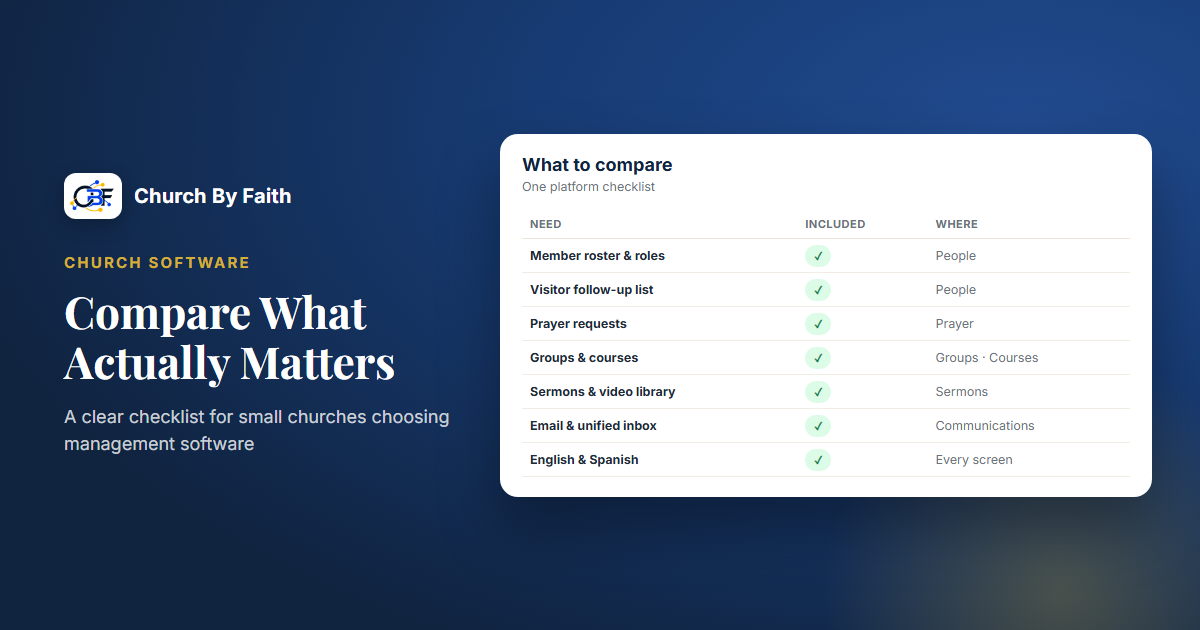
If you lead a small church, you probably don't have a full-time administrator, an IT person or a big software budget. What you do have is a handful of spreadsheets, a group text or two, and a pastor who remembers far more than any database. The right church management software should take some of that weight off your team, not add a new job.
This guide walks through what to compare, what questions to ask, and how to avoid paying for more than you need.
Start with the jobs, not the feature list
Every church software website has a long list of features. That list is the wrong place to start. Begin instead with the weekly jobs your team actually does, and who does them.
Sit down with your pastor and one or two key volunteers and write down answers to these questions:
- Who are our people? Where do we keep names, phone numbers, birthdays, and who is a visitor versus a member?
- How do we care for them? How do prayer requests reach the right leaders, and how do we make sure nobody falls through the cracks?
- How do we communicate? Announcements, email newsletters, one-to-one replies.
- How do we receive offerings? Online, cash, checks, or a mix, and who reconciles them?
- What do we gather for? Services, small groups, events, classes.
- What do we share? Sermons, videos, teaching, Bible reading plans.
Rank those jobs by how much pain they cause today. The top two or three are what your software must do well. Everything else is a bonus.
The core features to compare
Once you know your jobs, compare products on the areas that matter most to small churches.
People and member records
This is the heart of any church management system. Look for:
- A clear difference between visitors and members, so newcomers don't get lost in the full roster.
- Searching by name or phone, and filters that make sense to a volunteer.
- Profile fields that fit church life: baptism, membership date, small group, how someone first heard about you.
- Control over who can join and see member information.
Pastoral care and prayer
For many small churches this is the real reason to switch. Ask whether prayer requests can be shared with the whole church, with leaders only, or kept private, and whether someone can share a request without their name. Check who can read private requests by default. A good system protects the person asking, not just the data.
Groups, events and attendance
Small groups and ministries need a home: a place for members, leaders, and simple communication. For events, look for RSVPs, capacity limits and an attendance register. Be honest about what you need. If your church runs children's check-in with printed name tags, or builds volunteer rotas every week, make sure the product actually does that, because many do not.
Communication
Separate these three things, because products often blur them:
- Announcements that members see when they log in.
- Email campaigns to groups of people, with unsubscribe and consent handled properly.
- One-to-one conversations such as replying to a prayer request by email or text.
Texting in the US now usually requires carrier registration for business numbers, so ask how a product handles that before you assume texting "just works."
Giving
Ask how online giving works in practice: card, PayPal, recurring gifts, and whether cash and checks can be recorded alongside online gifts so your totals match. Ask what happens at year-end. Some products generate contribution statements automatically; others give you an export you build statements from. Either can work, but you should know which one you're buying.
The questions small churches forget to ask
Features are only half the decision. These questions often matter more over time.
- Language. If your congregation is bilingual, can each person use the app in their own language, or is it one language for the whole church? Is the Spanish a real, reviewed translation?
- Permissions. Can you give a care team member access to prayer requests without also handing them the giving records? Can you limit who sees phone numbers and emails?
- Security. How is your church's data kept separate from other churches' data? What is logged when someone exports or deletes records?
- Your data. Can you get a full export if you ever leave? Ask before you sign up, not after.
- Setup help. Who moves your spreadsheet into the new system? Is help included, or billed by the hour?
- Hidden costs. Count admin seats, video storage, website fees, payment processing and add-ons. Processing fees for card gifts are almost always separate from the subscription.
- Mobile. Does it work well in a phone's browser? Is there a native app, and is it actually in the app stores today?
How to run a fair comparison
A short, structured process keeps the decision from dragging on for months.
- Pick two or three products that cover your top jobs. More than that becomes noise.
- Write one real scenario for each top job, such as "A first-time visitor asks for a pastor to call them" or "A member gives by card and another gives cash on Sunday."
- Walk each scenario through each product with the person who will actually do the work, not only the pastor.
- Price your real church, using your number of admins, locations and videos, not the cheapest plan on the page.
- Check what's missing and decide whether you can live with a workaround.
- Ask about moving in: timeline, data import and training.
"Let all things be done decently and in order" (1 Corinthians 14:40) is a good motto for this process. Order, not perfection.
How Church By Faith compares on these points
Church By Faith is a bilingual church management and discipleship platform built for small and mid-size churches. Here's how it lines up against the checklist above, including the gaps. (The full list is on the features page.)
What it covers:
- People: a member roster with search, filters and follow-up status, a clear visitor or member relationship on every profile, and join requests that wait for an administrator's approval.
- Care and prayer: prayer requests that can be shared with everyone, leaders only, or kept private, including anonymous requests that not even leaders can trace.
- Groups and events: groups with leaders and group chat, events with RSVPs and capacity limits, and attendance registers.
- Roles: seven built-in roles, from Church Owner to Guest, with permissions enforced by the database itself.
- Language: the whole platform is in English and Spanish, and each person chooses their own language on every plan.
- Security: each church's data is isolated at the database level, and exports, settings changes and deletions are logged.
- Giving: giving records come with every plan. Members record the cash, check, Zelle or transfer gifts they send, and each gift counts in your totals once the treasurer confirms it arrived. Online card and PayPal giving is live today only for our founding ministry; it is not yet available to other churches while per-church payment accounts are built. A CSV export of gifts helps with year-end work.
- Setup: a real person helps you get set up: roles, branding and what to turn on first. Moving existing sermons, events and other content over is a paid add-on.
At the time of writing, plans are $39/month (Basic), $89/month (Growth) and $179/month (Premium), with two months free on yearly billing. You can see what each tier includes on the pricing page.
What it does not do: child check-in, volunteer scheduling, worship planning or accounting integration. It exports gift data rather than producing automatic year-end statements. A public church website is a separate one-time service, not part of the monthly plan. The member experience works in the browser on any phone today, and the native app is still on its way.
If those gaps are deal-breakers for your church, it's better to know now.
Quick checklist
- List your top three weekly jobs before looking at any product.
- Compare people records, care, groups, communication and giving.
- Confirm language support for every person, not just the church.
- Check permissions, security and data export.
- Price your real church, including admins, storage, website and processing fees.
- Walk one real scenario through each product with the person who will use it.
- Write down what's missing and your workaround.
Choosing software is a stewardship decision. Take the time to compare carefully, and pick the tool that serves your people, not the one with the longest feature list.
Want to see how these pieces fit together in one bilingual platform? Explore the Church By Faith features.