Church Management
Church Website vs. Church App: What Does Your Congregation Need?
By Church By Faith Team · · 5 min read
Your website speaks to people who don't know you yet. Your app serves the people who already belong. Here is how to decide which your church needs first.
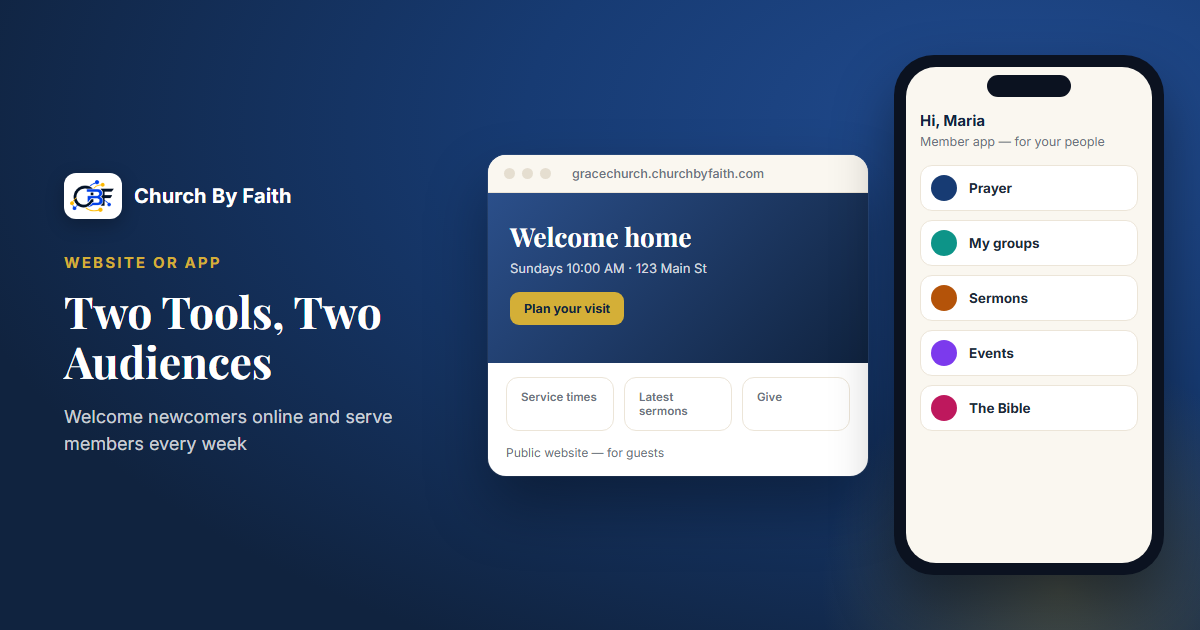
Many church leaders ask the same question when they finally have a little budget for technology: should we fix the website or get an app? It sounds like a choice between two versions of the same thing. It isn't. A website and an app serve different people at different moments, and knowing the difference saves money and frustration.
Two tools for two audiences
The simplest way to think about it:
- Your website is for people who don't know you yet. A family that just moved to town, a coworker a member invited, someone searching late at night for a church that prays in Spanish. They won't create an account. They want answers quickly.
- Your app is for people who already belong. Members and regular attenders who want to hear last week's sermon, share a prayer request, see what their group is doing, or give. They're happy to sign in because they come back every week.
A website is the front door. An app, or a member portal, is the fellowship hall. Most churches eventually need both, but they rarely need both at once.
What a church website must do
A visitor's first questions are practical. A good church website answers them in a few seconds, on a phone:
- When and where? Service times, address, a map, and parking notes.
- What should I expect? How long the service is, what people wear, what happens with the kids, and whether services are in English, Spanish or both.
- Who are you? A short pastor welcome, a photo, and a plain summary of what you believe.
- Can I see before I come? A recent sermon or a livestream link.
- How do I reach someone? A contact form or prayer request form, and a phone number.
- What's coming up? A few upcoming events, kept current.
It also needs to be found. That means clear page titles, your city and neighborhood in the text, a listing on map services, and pages in both languages if you serve both communities. A website that's out of date, with last year's Easter service still on the homepage, tells visitors more than you intend.
What a website usually does not need: member logins, group chat, or detailed ministry schedules. Those belong inside.
What a church app must do
Once someone is part of the family, their needs change. An app or member portal is where ongoing church life happens:
- Sermons and teaching they can return to during the week.
- Prayer requests with real privacy choices: share with the church, with leaders only, or keep it private.
- Small groups, with a place for members and leaders to talk.
- Events and RSVPs, so leaders know who's coming.
- Giving, in a way that's easy on a phone.
- Messages between members, and a way to reach the church's care team.
- Personal settings, like language and how the church may contact them.
The key difference is identity. An app knows who the person is, so it can show their groups, their prayer requests and their giving history. A public website can't, and shouldn't.
How to decide what comes first
Look honestly at where your church is struggling today.
Start with the website if:
- Visitors tell you they couldn't find your service times.
- Your site is years old, broken on phones, or only in one language while your congregation speaks two.
- You're planting or relaunching and most of your growth will come from people who don't know you yet.
Start with the app if:
- Your website is decent, but everything else lives in group texts, paper prayer lists and spreadsheets.
- Prayer requests and pastoral needs are getting lost.
- Members ask where to find last Sunday's sermon or how to give online.
Plan for both if you have the budget and a volunteer or staff member to own each one. The two should link to each other: the website points members to the app, and the app's events and sermons can show up on the website so you're not updating two places.
Native app or web app?
"App" doesn't have to mean something downloaded from an app store. Many church platforms work in any phone's browser, and members can save a shortcut to their home screen. Native apps can feel smoother and may offer phone notifications, but they add a step: every member has to find, download and sign in.
Questions to ask any provider:
- Does the member experience work well in a phone browser today?
- Is the native app actually published in the App Store and Google Play, or still coming?
- Does it work in both English and Spanish for each person?
- Is the website included in the monthly price, or a separate cost?
How Church By Faith handles websites and apps
Church By Faith separates these two jobs clearly, and it's worth being upfront about how.
The member experience. Church By Faith is a church management and discipleship platform. Members sign in to find sermons, the Bible and reading plans, prayer requests with privacy choices, groups and group chat, events with RSVPs, and private messages. Giving records come with every plan: members record the Zelle, check, cash or transfer gifts they send, and the treasurer confirms each one. Online card giving is not yet available to new churches; today it runs only for our founding ministry. Everything is in English and Spanish, and each person chooses their language. Today, the member experience works in the browser on any phone. A native app has been built and is on its way to the app stores, but it isn't available there yet.
The public website. A church website is not included in the monthly plan. It's a separate, one-time service where the team builds your site for you. At the time of writing, the options are:
- Proven Church Website Framework, $999 (requires the Basic plan): 5 to 8 pages.
- Full Launch Package, $2,499 (recommended with Growth): up to 15 pages, domain and SSL, basic local SEO and training.
- Custom Ministry Website, from $4,500.
These sites are built from sections designed for churches: service times, pastor welcome, upcoming events, latest sermons, livestream, giving, a prayer request form, contact, map and FAQ. English and Spanish pages are possible: the $999 package covers one language, and a second language is an add-on from $750, with the translation supplied by your church. Events you publish in the platform also appear on your public site, and prayer requests submitted from the website land in your team's queue. You can see the monthly plans on the pricing page and what the platform includes on the features page.
Quick checklist
- Your website answers: when, where, what to expect, who you are, how to reach you.
- Your app serves: sermons, prayer, groups, events, giving, messages.
- Pick first based on where people are getting lost today.
- Make sure both work well on a phone and in both languages.
- Ask whether the native app is really in the stores or still coming.
- Ask whether the website is included or billed separately.
- Name one person to keep each one current.
Curious how a public website and a member platform can work together for your church? Talk with our team.