Church Management
How to Move Your Church From Several Tools to One Platform
By Church By Faith Team · · 6 min read
Consolidating church software is less about the new system and more about the move. Here is a phased plan that protects your data and your people.
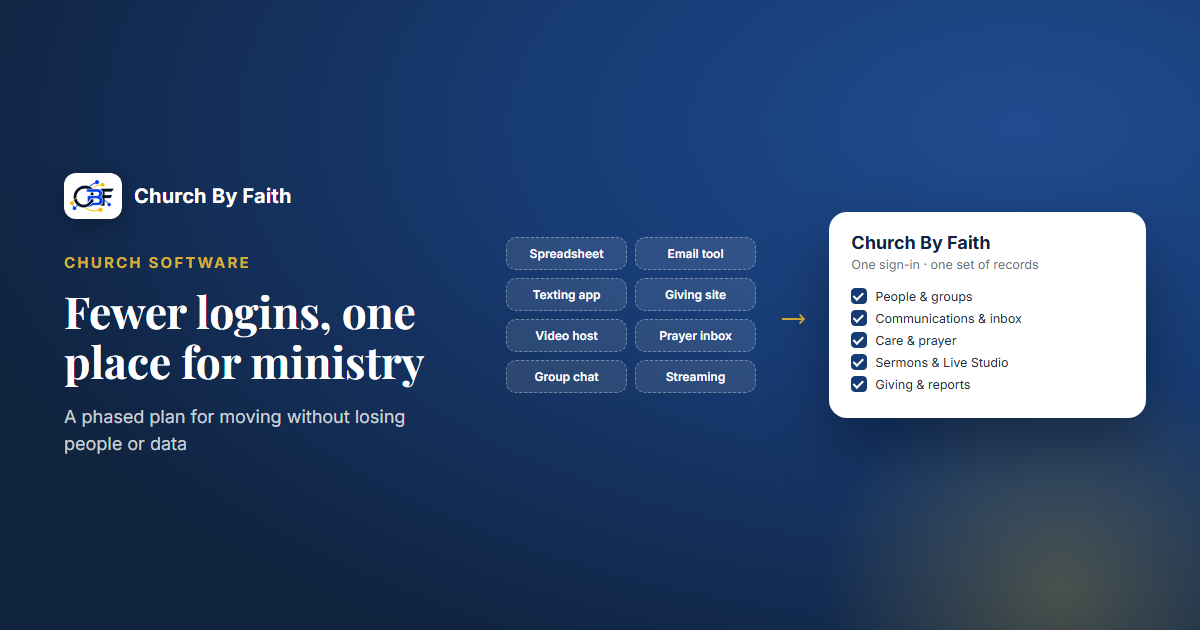
Many churches run on a patchwork: one app for giving, another for email, a spreadsheet for members, a group chat for prayer and a separate site for sermons. Each tool made sense when you added it. Together they mean more logins, more monthly bills and more places for a person to fall through the cracks. Moving to one platform can help, but only if you plan the move as carefully as you choose the software.
Take inventory before you move anything
Start with an honest list. For each tool your church uses, write down:
- What it does (giving, email, member records, sermons, prayer, events, website).
- Who uses it (office staff, pastors, treasurer, volunteers, members).
- What it costs and when it renews.
- Where the data lives and how you would get it out (an export file, a report, copy and paste).
- What would break if it disappeared tomorrow.
Include the informal tools too: the shared inbox, the prayer chain group chat, the volunteer's personal spreadsheet. These often hold the most important information and are the easiest to forget.
The renewal dates matter more than they seem. They tell you when you can switch without paying twice.
Decide what moves, what stays and what retires
Not everything should move, and that is fine. Sort each tool into one of three piles:
- Moves: the new platform does this job well enough, so the old tool goes away.
- Stays: the new platform does not cover this job, or your current tool does it clearly better. Common examples are children's check-in, volunteer scheduling, worship planning and accounting software.
- Retires: nobody really uses it anymore. Export what you need and close it.
Be realistic. "One platform" rarely means literally one. It usually means one home for people, communication and ministry, with a small number of specialized tools around it. Two well-chosen tools beat seven overlapping ones.
Clean your data before it travels
Moving messy data just moves the mess. Before you migrate:
- Remove duplicates. The same family often appears three times across three tools with slightly different spellings.
- Check consent. Don't assume everyone on an old email list agreed to receive church email, and never assume someone agreed to receive texts. Carry forward only the permissions you can stand behind, and ask again when in doubt.
- Decide what history you really need. Five-year-old event sign-ups may not be worth moving. Giving history for tax purposes definitely is. Keep a dated export of every old system in a safe place even after you move.
- Fix the basics. Names, email addresses, phone numbers and preferred language are worth getting right now.
Switch in phases, not all at once
A phased move keeps ministry running while you change the tools underneath it. A sensible order:
- People and roles. Set up your leaders first with the right permissions, then invite members.
- Communication. Move announcements and email so people start looking in the new place.
- Content. Sermons, events, groups and courses.
- Giving last. Money is where people are least forgiving of confusion. Keep the old giving option running until the new one is tested and announced.
For each phase, run old and new side by side for a short, fixed period, then set a firm cutoff date and tell everyone. Avoid switching anything important in the weeks before Easter, Christmas or a major event.
Bring your people along
Software changes fail more often because of people than because of technology. A few habits help:
- Explain the why. "Everything in one place, in your language" lands better than "we bought new software."
- Train leaders first. Pastors, group leaders and office staff should be comfortable before members arrive.
- Offer help in person. A table after the service with a volunteer who can help people sign in on their phones is worth more than a long email.
- Communicate in every language your church speaks. Instructions only in English leave part of the congregation behind.
- Write a one-page guide with the three things members will do most: sign in, find events and send a prayer request.
- Be patient with older members. Keep a phone number or a person they can go to for the first few months.
Here is sample wording for the first announcement:
Starting next month, our prayer requests, announcements and events will all be in one place, in English or Spanish, whichever you prefer. You will get an email invitation to sign in. After each service, [volunteer names] will be at the welcome table to help you get started on your phone. The old prayer chain will keep running until the end of the month.
How Church By Faith handles this
Church By Faith is designed to be the one home for people, communication and ministry: members and groups, prayer and pastoral care, announcements and email, sermons and video, events, courses, the Bible and giving, all in English and Spanish. You can see the full list on the features page. Administrators can switch off any feature your church does not use, so members only see what matters to you.
For the move itself, a real person helps you get set up: roles, branding and what to turn on first. Moving existing sermons, events and other content over is a paid add-on. Inviting people is straightforward: send single-use email invitations, or paste up to 100 addresses at a time and see the outcome for every row. Today people join by invitation; visitors cannot yet ask to join on their own. Where a request to join does come in (for example from a church website we built), it waits with no access until an administrator approves it, so you stay in control during the switch. If your sermons already live on YouTube or Vimeo, the video library can embed them. If the team builds your church website, the website packages include loading a set number of existing sermons, and extra sermons can be migrated for a per-sermon fee. Current figures are on the pricing page.
Giving deserves extra care. At the time of writing, card and monthly card giving (Stripe and PayPal) are not yet available to new churches: they run today only for our founding ministry, because per-church payment accounts are not built yet. Giving records come with every plan: each member records the Zelle, check, cash or transfer gift they sent, and it counts in your totals once your treasurer confirms it arrived. Staff cannot enter a gift on someone else's behalf, so plan how you will explain this to givers. Plan the giving phase with the team before you announce it.
Some jobs will stay in separate tools. Church By Faith does not offer children's check-in, volunteer scheduling, worship planning, accounting or bulk texting. If you rely on those today, keep them. If you ever leave, your data is yours: on every plan, staff with permission can export gifts and contacts to CSV, and you can ask the team to export the rest.
Quick checklist
- List every tool, including the informal ones, with cost and renewal date.
- Sort tools into moves, stays and retires.
- Remove duplicates and carry forward only consent you can stand behind.
- Keep a dated export of every old system.
- Move in phases: people, communication, content, then giving.
- Train leaders before members, in every language your church uses.
- Set a firm cutoff date for each old tool and announce it.
Planning a move? Talk with the Church By Faith team about your current tools and what a phased switch could look like.