Media & Live Streaming
How to Organize Sermons and Teaching Videos Online
By Church By Faith Team · · 5 min read
A sermon library is only useful if people can find what they need. Here is how to name, group and publish sermons and teaching videos so they keep ministering.
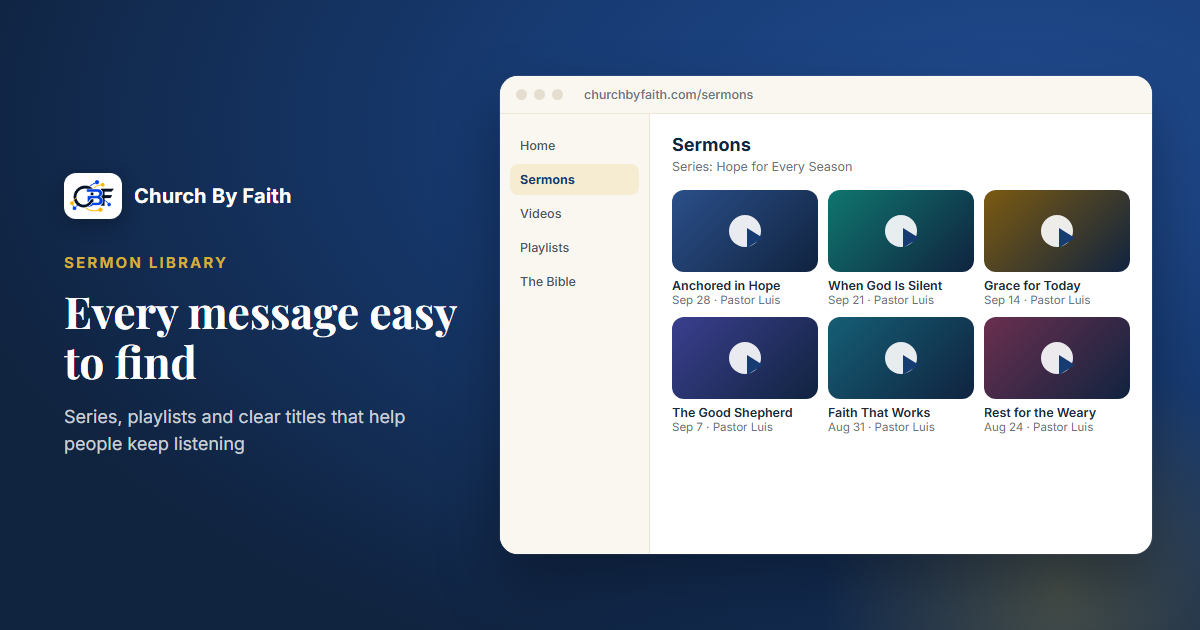
Every week your church produces something valuable: a sermon, a Bible study, a teaching for a class. Months later, most of it is hard to find, scattered across a video site, a hard drive and a few social posts. A little organization turns that pile into a library that keeps ministering long after Sunday.
Decide where your library lives
Before you tidy anything, decide where the official home of your sermons will be. Many churches post in several places, which is fine, but one location should be the complete, organized archive that everything else points back to.
Good questions to ask:
- Can members find it easily from your website and on their phones?
- Is it free of other people's ads and unrelated "recommended" videos?
- Can you group messages into series and playlists?
- Does it hold both video and audio, for people who prefer to listen?
- What are the storage limits, and what happens when you reach them?
Do not forget the listeners
Many people take in sermons by ear: on the drive to work, while cooking, or on a walk. An audio version of each message serves them well and uses far less data than video. If your library keeps audio alongside video, make sure the audio is labeled with the same title and series, so it is just as easy to find.
Point your website to the library
Your church website should make the library one click away, ideally from the home page with a clear "Sermons" or "Watch and listen" link. Show the latest message prominently, since that is what most visitors are looking for, and link to the current series underneath it.
Social platforms are great for reach. Your library is for depth: the place a new believer can work through a whole series, or a member can find last spring's message on marriage.
Use a consistent naming system
Most of the value of a library comes from consistent details. Agree on a format and use it every time.
Title format. For example:
Series name, Part number: Message title
"Faith That Works, Part 3: Taming the Tongue" tells people far more than "Sunday Service 3/14".
Details to record for every message:
- Speaker
- Date preached
- Main Scripture passage
- Series name and part number
- Language (especially in a bilingual church)
- A two- or three-sentence summary
Write the summary in plain language, as if you were telling a friend what the message was about. It helps people decide what to watch, and it helps search engines understand the page.
Organize by series and by topic
People look for teaching in two ways: by what came next, and by what they need right now.
Series
Group messages that belong together. A series should play in order, so someone who starts at part one can move naturally through the rest. Give each series a short description and, if you can, a simple cover image.
Topics
Build a few topic collections that cut across series. These are especially useful for pastoral care, because you can send someone a single link:
- Grief and loss
- Marriage and family
- Anxiety and peace
- New believers
- Prayer
Keep topic lists short and useful. Five strong collections are better than thirty that nobody maintains.
Beyond Sunday
Your library does not need to be only sermons. Consider adding Bible study sessions, class recordings, testimonies with permission, and short teachings from your pastor. Label them clearly so they do not get mixed up with Sunday messages.
Create a simple weekly routine
A library stays organized when one person follows the same steps every week. A sample routine:
- Monday: export or download the Sunday recording.
- Trim the start and end so the video begins with the message.
- Upload it to your library with the full title and details.
- Add it to the right series and any topic collection.
- Share one link in your church announcement and on social media, pointing back to the library.
- Check that the previous message in the series links naturally to this one.
Write these steps down so a second volunteer can cover when the first is away.
Think about permissions and privacy
Before you publish a recording, check two things. First, music: if a video includes worship songs, make sure your church's licenses cover posting them online, or trim the music out. Second, people: avoid publishing moments where someone shared something personal, such as a prayer time or a testimony they did not expect to be recorded. When in doubt, ask.
Clean up the archive gradually
If your existing archive is a mess, do not try to fix it all at once. Start with the current series, then work backward a few messages each week. Retire recordings with poor sound or outdated announcements; you do not need to keep everything.
As you go, fill in the missing details: speaker, date, passage and a short summary. If you are unsure of a date, a note from the church bulletin or a calendar is usually enough to confirm it. It can also help to ask a longtime member which past series people still mention. Those are often the messages worth restoring first, because they already carry meaning for your congregation.
How Church By Faith handles this
Church By Faith has a Sermons area where your team can upload, organize and share sermon video and audio, and a video library with playlists for series and topic collections. Video is hosted without somebody else's advertisements, so your members are not sent to unrelated content.
Some details that support the system above:
- Playlists play continuously, with next, previous, repeat and auto-advance, which makes a series easy to follow in order.
- Videos resume where the viewer left off.
- YouTube and Vimeo embeds are supported if you already publish there.
- Offline listening lets people download the audio of hosted videos and listen without a connection. It is new, and it works only for videos with a Church By Faith-hosted copy.
At the time of writing, plans include 25, 150 or unlimited sermon and video records, with video storage from 50 GB to 1 TB and monthly bandwidth from 100 GB to 1.5 TB depending on plan. Bandwidth is never cut off; extra use is billed, and uploads pause if storage is full. See the pricing page for current details.
Church By Faith does not publish a podcast feed, so if you distribute audio through podcast apps, keep that as a separate step. If you would like help moving an existing archive, contact us.
Quick checklist
- [ ] Pick one official home for your complete sermon library.
- [ ] Agree on a title format and use it every week.
- [ ] Record speaker, date, passage, series, language and a short summary.
- [ ] Group messages into series that play in order.
- [ ] Build a handful of topic collections for pastoral use.
- [ ] Write down a weekly upload routine and train a backup volunteer.
- [ ] Clean up the old archive a few messages at a time.
See how Church By Faith keeps sermons, videos and playlists in one ad-free library on the features page.