Discipleship & Groups
How to Run Online Discipleship Classes for Your Church
By Church By Faith Team · · 5 min read
Online discipleship classes let busy members grow at their own pace. Here is how to design a course people actually finish, from lesson length to follow-up.
Many members want to grow in their faith but cannot make a Tuesday night class every week. Online discipleship classes give them a way to learn at their own pace, while still staying connected to a teacher and to each other. The key is designing the class so people finish it, not just start it.
Decide what kind of class you are running
"Online class" can mean very different things. Choose the format before you build anything.
- Self-paced course: people work through lessons on their own schedule. Best for foundational material, such as a new believers course or a study of core beliefs.
- Cohort course: a group starts on the same date and moves through one lesson a week together. Best when discussion and accountability matter.
- Hybrid: lessons online, with an in-person or live video discussion every week or two. Often the best fit for small churches, because it keeps relationships at the center.
For most congregations, a cohort or hybrid format works better than a purely self-paced one. People are more likely to continue when they know others are on the same lesson.
Plan the course before you record anything
A little planning saves hours of re-recording.
- Write one clear goal. "By the end, participants can explain the gospel in their own words and share their testimony."
- Break it into four to eight lessons. Each lesson should cover one idea.
- Choose a reading for each lesson. A passage of Scripture, and optionally a short article or chapter.
- Write two or three discussion questions per lesson. Mix one understanding question with one or two application questions.
- Decide how you will check understanding. A short quiz, a written reflection or a conversation with a mentor.
Choose the right teacher
The best online teacher is not always the best speaker. Look for someone who explains clearly, answers messages kindly and follows through on check-ins. A pastor may record the lessons while a trusted lay leader hosts the discussion and follows up with participants. Sharing the work this way keeps the course going when the pastor's week gets full.
A sample outline
A four-week "Foundations of Faith" course might look like this:
- Week 1: Who is God? (Genesis 1, Psalm 139)
- Week 2: Who is Jesus? (John 1, Philippians 2)
- Week 3: What is the church? (Acts 2, Ephesians 4)
- Week 4: How do I grow? (Psalm 1, John 15)
Build lessons people can finish
Online attention is short, especially on a phone. Design each lesson so it fits into a lunch break.
- Keep videos short. Several short videos are easier to finish than one long lecture.
- Put the key point in writing too. Not everyone can watch video at work or on a bus.
- Record simply. A phone on a stand, a quiet room and good light from a window are enough. Clear sound matters more than a perfect picture.
- End every lesson with an action. "This week, read John 15 each morning" is more useful than a summary.
- Offer both languages if your church needs it. In a bilingual congregation, a Spanish version of each lesson may be the difference between someone taking part or not.
Help people who are new to technology
Some of your most eager students may be the least comfortable online. Before the course starts, offer a short in-person session after a service where a volunteer helps people sign in on their own phones and open the first lesson. Write a one-page guide with screenshots, in English and Spanish. Give a phone number or a name to ask for help. Removing that first hurdle often decides who takes part.
Use quizzes gently
A quiz in a discipleship class is not an exam. Use a few questions to help people notice what they missed, and keep the tone encouraging. Explain answers rather than only marking them wrong.
Add connection and accountability
Content alone rarely changes lives; relationships do. Build connection into the course from the start.
- Create a discussion space for each class, where people can post questions and share what they are learning.
- Hold a regular live gathering, in person or by video call, to discuss the lessons.
- Pair people up as prayer or study partners for the length of the course.
- Have the teacher check progress weekly and send a short, personal note to anyone who has fallen behind.
Sample check-in wording:
Hi James, I noticed you have not started lesson three yet. No pressure at all. Life gets busy. Is there anything I can pray for this week? The lesson is waiting whenever you are ready.
Finish well and point to the next step
The end of a class is a key moment. Mark it and give people somewhere to go.
- Celebrate completion, perhaps with a short recognition during a service or a shared meal.
- Ask for feedback: what helped, what was confusing, what they would change.
- Invite them to a next step: a small group, a serving team, a follow-up course, or a Bible reading plan.
- Review the course with your teaching team and improve one or two lessons before the next cohort.
Graduates also make excellent helpers for the next group. Someone who finished the course a few months ago remembers what was confusing and can encourage newcomers who feel behind. Inviting one or two past participants to join the discussion as table hosts or prayer partners gives them a first taste of leadership, and it gives the teacher some welcome support.
How Church By Faith handles this
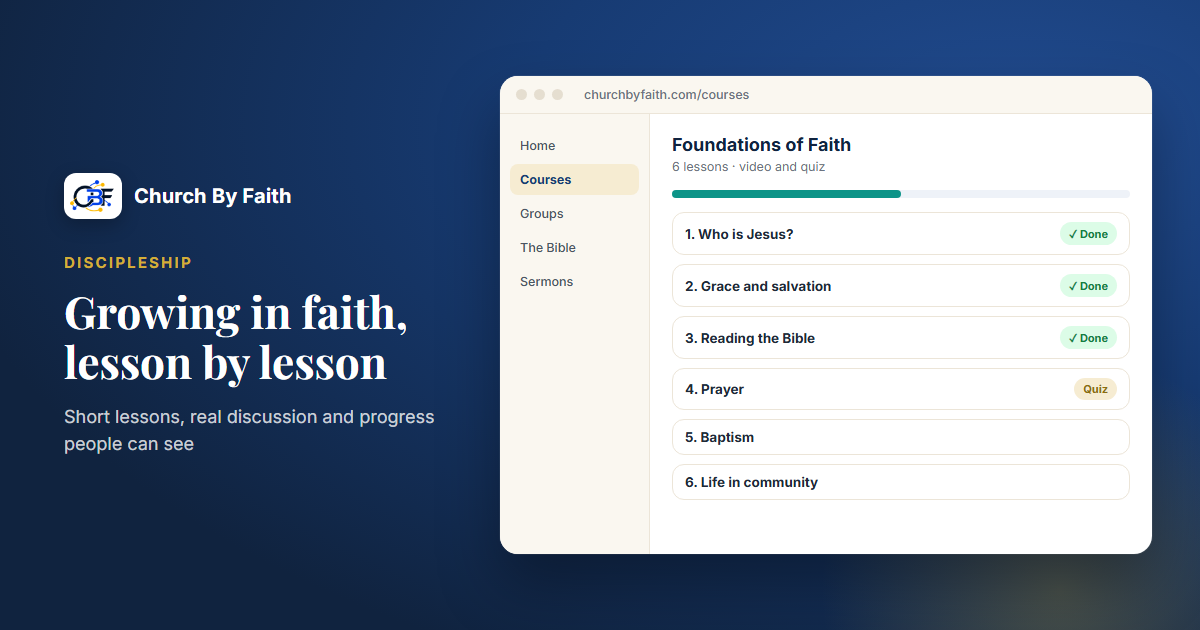
Church By Faith includes courses built for discipleship. Under Manage courses, your team can create a course with lessons, including video lessons, and quizzes, and each participant's progress is tracked, so teachers can see who is moving forward and who might need a note. Courses work in the browser on any phone or computer, and every person chooses English or Spanish for the interface.
Other tools fit naturally around a course:
- Groups with in-group messaging give each cohort a discussion space that leaders can moderate.
- Bible reading plans let you assign daily readings. Each person's progress stays private; leaders see only how many people are reading, never who.
- Attendance registers record who came to live discussion sessions.
Check the pricing page to see which plan includes courses. If you would like help setting up your first course, contact us.
Quick checklist
- [ ] Choose a format: self-paced, cohort or hybrid.
- [ ] Write one clear goal for the course.
- [ ] Outline four to eight lessons, one idea each.
- [ ] Keep videos short and put key points in writing.
- [ ] Add two or three discussion questions per lesson.
- [ ] Use short, encouraging quizzes.
- [ ] Create a discussion space and a regular live gathering.
- [ ] Check progress weekly and follow up personally.
- [ ] Celebrate completion and invite people to a next step.
See how Church By Faith courses combine lessons, video and quizzes on the features page.